Search for:
Learning how to measure retention effectively.
Defining Retention Before Measuring It

I’ve spent eleven years watching consultants try to sell small business owners “predictive churn modeling” software that costs more than their monthly rent. It’s absolute nonsense. They’ll hand you a sixty-page report full of jargon, but if you don’t actually know how to measure retention using the data you already have sitting in your inbox or your Stripe account, you’re just burning cash. You don’t need a data scientist or a complex dashboard; you need to know if your customers are actually coming back or if you’re just running on a treadmill of expensive new leads.

I’m not here to give you a lecture or a slide deck full of useless funnels. Instead, I’m going to show you exactly how to run a manual audit of your repeat business using nothing but a basic spreadsheet and an hour of your time. We are going to strip away the enterprise fluff and focus on the only numbers that matter to a business that actually needs to turn a profit by Friday.

The Simple Customer Retention Rate Formula You Actually Need

The Simple Customer Retention Rate Formula You Actually Need

Forget the complex software suites and the multi-layered dashboards that promise “deep insights” but only deliver headaches. If you’re running a business without a dedicated marketing team, you don’t need a data scientist; you need a calculator and a clean spreadsheet. The only customer retention rate formula you should care about is this: take the number of customers you had at the end of the month, subtract any new customers you gained during that same period, and divide that number by the customers you started with.

Do the math. If you started with 100 clients, gained 20, but ended with 95, your math looks like this: (95 – 20) / 100 = 0.75. You kept 75% of your base. That’s it. It takes five minutes to run this once a month, and it tells you more about your business health than any fancy SaaS retention benchmarks ever will.

Don’t get distracted by the urge to dive into a massive, soul-crushing cohort analysis for retention right out of the gate. You aren’t a venture-backed startup with a data warehouse. You just need to know if you are leaking more water than you are pouring in. Once you have this baseline number, you can actually start looking at reducing churn rate strategies that make sense for your specific workload.

Forget Saas Retention Benchmarks Use Your Own Numbers

Forget Saas Retention Benchmarks Use Your Own Numbers

Stop looking at those glossy industry reports. I see small business owners constantly stressing because they aren’t hitting the same SaaS retention benchmarks as a Silicon Valley unicorn with a hundred engineers. It’s a waste of your time. Those benchmarks are built for companies with massive, recurring subscription models and infinite data sets. If you run a service business or a local shop, those numbers are functionally useless to you. Comparing your steady, local growth to a tech giant’s churn rate is like comparing a pub quiz score to a PhD thesis—it’s a different game entirely.

Instead of chasing ghosts, look at your own history. You don’t need a complex cohort analysis for retention that requires a data scientist to decipher. You just need to know if the people who bought from you in January are the same ones paying you in March. If your numbers are trending up, you’re winning. If they’re dipping, you have a problem to solve. Stop trying to meet an arbitrary standard set by someone else and start owning your own baseline. That is the only number that actually dictates whether you can afford to hire an assistant next year.

Five ways to spot the leaks without hiring a data scientist

  • Open your last three months of invoices. Pick five customers who paid you in month one but haven’t sent a dime since. That’s your immediate churn reality. Don’t look at averages; look at the names.
  • Check your email open rates for existing clients versus new ones. If your “old guard” has stopped clicking, they aren’t just quiet—they’re gone. It takes ten minutes to run this report in most CRM tools.
  • Stop tracking “engagement” and start tracking “repeat transactions.” A thousand likes on a post won’t pay your rent, but knowing that 20% of your clients bought a second time this quarter tells you exactly where you stand.
  • Set a timer for thirty minutes and scan your “Lost Leads” folder. If the reason they didn’t return is “too expensive” or “forgot about us,” you don’t have a product problem; you have a follow-up problem.
  • Look at your most profitable client and find out why they stayed. If you can’t name three specific reasons in under five minutes, you aren’t measuring retention—you’re just getting lucky.

The Bare Minimum Checklist

Stop looking at industry averages; they are meaningless for your specific business. Your only benchmark is whether your number is higher this month than it was last month.

Use one single spreadsheet to track repeat customers. If you can’t calculate your retention rate in under thirty minutes, you’re tracking too much useless data.

Focus on the “why” behind the churn. Pick five customers who left and send them a two-sentence email asking why. That’s more valuable than any automated dashboard.

Stop Guessing and Start Counting

Stop Guessing and Start Counting your math.

Look, we’ve stripped away the fluff. You don’t need a complex dashboard or a subscription to a data analytics suite to see if your customers are actually sticking around. You just need your sales records from last month, a basic calculator, and the guts to face the actual number. Remember: stop comparing your margins to some Silicon Valley unicorn’s benchmarks; they aren’t you. Focus on your own baseline, calculate your rate using that simple formula we discussed, and treat that number as your single source of truth. If it’s dropping, you know exactly where to look. If it’s steady, you’ve got a foundation to build on. It’s not about being fancy; it’s about knowing your own math.

Marketing shouldn’t feel like a second full-time job you didn’t sign up for. If you spend your entire week chasing vanity metrics, you aren’t running a business—you’re running a research project. My advice? Close this tab, open your spreadsheet, and get your retention number before you head out for a drink. Once you have that number, you have control. You can stop worrying about what the “experts” say and start making decisions based on what your actual customers are doing. Now, go do the work.

Frequently Asked Questions

What if my business is seasonal and my numbers look weird every few months?

Stop trying to compare July to December if you sell Christmas trees. If you look at a month-on-month view, your data will look like a heart attack on a monitor. Instead, compare this month to the same month last year. If you’re up 5% against last October, you’re winning. Don’t let a seasonal dip trick you into thinking your business is dying; just look at the year-on-year trend.

How do I know if a customer actually left or if they just haven't needed me lately?

Stop guessing. Pull your transaction list from the last six months and look for your “average gap.” If you usually see a client every 30 days and it’s been 45, they’re just busy. If it’s been 90, they’re gone. Don’t overthink it with complex churn models. If the time elapsed exceeds your typical service cycle by 50%, treat them as lost. Send one “are you okay?” email. If that fails, move on.

Should I be looking at how much they spend, or just how often they show up?

Both, but don’t overcomplicate it. If you only track frequency, you might miss the fact that your biggest spenders are drifting away. If you only track spend, you’ll miss the slow decay of your casual regulars.

I have a messy spreadsheet; how do I clean this up without spending my whole weekend on it?

Stop trying to fix the whole thing. Pick one column—the one with your customer names or emails—and hit “Remove Duplicates” in Excel. That’s your first win. Next, sort by date to find the gaps. If a row is missing a sale amount, delete it. Don’t try to “enrich” the data or hunt down old details; if it isn’t there, it doesn’t exist for this audit. Clean enough to be accurate, not perfect.


How to choose which social channel.
Choosing a Channel From Where Customers Are

I’ve spent eleven years watching boutique firms burn through five-figure agency retainers because they were told they needed a “omnichannel presence.” It’s nonsense. Most of these consultants will hand you a twenty-page deck filled with complex matrices and heat maps to explain how to choose which social channel actually matters for your bottom line. They want you to believe that if you aren’t posting high-production video on TikTok while simultaneously managing a LinkedIn thought-leadership series, you’re failing. In reality, most of that is just expensive noise designed to make their billable hours look justified.

I’m not here to give you a strategy that requires a dedicated content team and a production budget. My promise is simpler: I’m going to show you how to audit your current reach and pick one single platform that actually moves the needle. We aren’t going to build a massive, multi-layered ecosystem; we are going to find the one place where your customers actually hang out and master it before lunch. No fluff, no complex funnels, just practical steps you can finish by the end of the afternoon.

Audit Social Media Platform Demographics in Sixty Minutes

Audit Social Media Platform Demographics in Sixty Minutes

Stop guessing based on your own scrolling habits. You might spend three hours a day on TikTok, but if your clients are procurement officers in their fifties, you’re just shouting into a void. Set a timer for sixty minutes. Your goal isn’t to build a complex content marketing channel strategy; it’s to find out where your actual customers hang out. Open your existing customer list or your most recent five sales, look at their LinkedIn profiles or Instagram handles, and note the common denominator.

Don’t get bogged down in massive, expensive industry reports. Most of those are written for corporations with entire departments dedicated to data entry. Instead, use the free tools already at your fingertips. Check the “Insights” tab on your current profiles to see the age, gender, and location of the people actually interacting with you. This is the fastest way to handle social media resource allocation without wasting a single cent or a wasted hour. If the data shows your buyers are on LinkedIn and you’re currently obsessing over Pinterest, close the Pinterest tab immediately. You need to be where the money is, not where the likes are.

A One Afternoon Brand Presence Optimization Plan

A One Afternoon Brand Presence Optimization Plan

Stop looking for a complex content marketing channel strategy that requires a dedicated agency and a six-figure budget. You don’t need a roadmap; you need a checklist. Once you’ve identified where your people actually hang out, your goal is brand presence optimization without losing your entire week to it. Spend your next ninety minutes cleaning up your profiles. Use the same high-resolution headshot across every platform, write a bio that explains exactly what you do in two sentences, and ensure your website link actually works. If your profile looks like a ghost town or a digital junk drawer, no amount of clever posting will save you.

Next, set your boundaries for social media resource allocation. Decide right now that you will only post three times a week on your chosen platform. That’s it. Don’t touch the others. Instead of obsessing over vanity likes, focus on one or two meaningful engagement metrics—like direct messages or link clicks—that actually move the needle for your revenue. If you can’t track it in a simple spreadsheet by 5:00 PM, you’re overcomplicating it. Stick to the basics, keep it consistent, and get back to running your actual business.

Five Rules to Stop Wasting Your Weekends on Social Media

  • Follow the money, not the likes. If your customers aren’t hanging out on TikTok, stop trying to make dance videos; focus on where the actual purchasing decisions happen.
  • Match your energy to the platform. If you hate writing long-form essays, stay off LinkedIn; if you can’t stand being on camera, leave Instagram to the influencers.
  • Pick one platform and own it. It is better to have one active, engaging profile than five ghost towns that make your business look defunct.
  • Use your existing data. Look at your last ten sales and see if there is a common thread in how those people found you; double down on that specific channel.
  • Ignore the “trending” noise. Just because a new app is blowing up in the news doesn’t mean your specific customer base is actually using it to buy anything.

The Afternoon Rule for Social Media

Stop chasing every platform; pick the one where your actual customers spend their time and ignore the rest.

If a social media task takes more than four hours to set up, you’re doing too much—simplify the workflow or bin it.

Forget “brand awareness” metrics that don’t pay the bills; focus on whether your one chosen channel is actually driving inquiries.

Stop Overthinking and Start Posting

Stop Overthinking and Start Posting.

Look, we’ve covered the ground. You’ve spent your hour auditing demographics and you’ve mapped out a presence that won’t require a full-time hire to maintain. The goal here wasn’t to build a complex, multi-layered ecosystem that drains your bank account; it was to find the one single place where your customers actually hang out and make sure you show up there. Remember, if your strategy requires a dedicated content calendar and a three-person creative team just to get a single post live, you have failed the small business test. Stick to the one channel you’ve chosen, keep your assets lean, and stop looking for the “magic” platform that doesn’t exist.

Most people spend months “strategizing” their way into total paralysis, while their competitors are actually out there making sales. You don’t need a massive budget or a viral video to see a return on your time; you just need consistency and common sense. Pick your lane, execute the plan we discussed this afternoon, and then get back to actually running your business. Marketing should serve your company, not become a second full-time job that keeps you up at night. Now, close this tab and go post something.

Frequently Asked Questions

What if my target customers are on three different platforms but I only have time for one?

Pick the one where your customers actually spend money, not just time. If they’re scrolling TikTok for laughs but buying through LinkedIn, go to LinkedIn. I see small firms waste months trying to “bridge the gap” across three platforms with zero budget. It’s a trap. Pick your strongest horse, dominate that single channel for the next ninety days, and ignore the rest. You can’t win a race if you’re running in three directions.

How do I know if the demographic data I'm seeing is actually my specific niche or just broad noise?

Stop looking at the aggregate numbers. If your dashboard says “Men, 25–45, interested in lifestyle,” that’s noise. That’s a demographic, not a customer. To find your niche, look for the specific friction points in your comments or direct messages. Are they asking about price, or are they asking how to solve a very specific, annoying problem? If the data doesn’t reflect a specific problem you solve, it’s just vanity metrics. Ignore the broad strokes.

If I pick a channel and it doesn't drive sales after a month, do I scrap it or pivot?

Don’t scrap it yet, but stop doing what you’re currently doing. A month is enough time to see if there’s a pulse, but not enough to judge a strategy. If the engagement is there but the sales aren’t, your content is likely “entertainment” rather than “utility.” Pivot the messaging, not the platform. Spend one afternoon rewriting your calls-to-action to be more direct. If that fails after another month, then pull the plug.

Is it worth spending my afternoon setting up a profile on a platform that's "growing" if my customers are still on the old ones?

No. Stop chasing “growth” metrics that don’t pay your invoices. If your customers are on LinkedIn and you’re busy setting up a TikTok because it’s trending, you’re wasting your afternoon on vanity, not sales. Growth is irrelevant if it’s zero growth in your bank account. Stick to where the money actually is. Master the old platforms first. Once they’re running on autopilot, then—and only then—can you look at the shiny new thing.

How to use social media as a small business.
One Channel Done Properly

Stop letting “gurus” sell you a five-stage content calendar and a dedicated community manager. I’ve spent eleven years sitting in boardrooms where people with massive budgets try to convince solo founders that they need a cinematic production team just to exist online. It is absolute nonsense. Most of the advice you find on how to use social media as a small business is designed to make you feel inadequate so you’ll buy a more expensive tool or a bloated agency retainer. If you can’t execute the tactic between your morning coffee and lunch, it isn’t a strategy—it’s a distraction.

I’m not here to give you a lecture on “brand synergy” or show you a single slide with a funnel on it. Instead, I’m giving you the actual, unvarnished math of what works when you are the CEO, the accountant, and the social media manager all at once. I will show you how to build a presence that actually drives revenue using nothing but your smartphone and two hours of your time. We are going to focus on measurable wins that you can implement this afternoon, not theoretical nonsense that requires a marketing department to maintain.

The One Hour Social Media Marketing Strategy for Entrepreneurs

The One Hour Social Media Marketing Strategy for Entrepreneurs

Stop trying to build a six-month content calendar for small business owners that requires a dedicated agency to maintain. You don’t have the headcount, and frankly, you don’t have the time. Instead, spend sixty minutes setting a “Rule of Three.” Pick three platforms where your customers actually hang out—not where you wish they were—and commit to one meaningful interaction or post per day. This isn’t about complex social media marketing strategy for entrepreneurs; it’s about showing up so you don’t look like a ghost town.

Spend the first thirty minutes auditing your current profiles. If your bio is a vague mission statement that says nothing about how you solve a problem, rewrite it. Use plain English. The next thirty minutes are for batching. Take three photos of your workspace or your product and write three captions. Don’t aim for viral; aim for useful. If you can’t draft these posts and schedule them using basic social media management tools for small teams before your coffee gets cold, you’re overcomplicating it. Focus on being consistent rather than being “perfect,” because perfection is just another way of wasting time you don’t have.

Engaging Target Audience on Social Platforms Without Burning Out

Engaging Target Audience on Social Platforms Without Burning Out

Stop trying to be “everywhere.” If you’re trying to maintain a presence on LinkedIn, Instagram, TikTok, and Threads simultaneously, you aren’t marketing; you’re just performing unpaid labor. Most agencies will try to sell you a complex content calendar for small business owners that requires daily posting across four platforms. That is a lie. For a solo founder, engagement isn’t about volume; it’s about selective visibility. Pick the one platform where your actual customers hang out and ignore the rest. It is much better to have one meaningful conversation in a LinkedIn comment section than to post ten generic graphics to an Instagram feed that nobody reads.

To avoid the inevitable burnout, you need to stop treating social media like a broadcast tower and start treating it like a coffee shop. Don’t spend your morning crafting the “perfect” post. Instead, spend twenty minutes responding to three people in your industry or answering a specific question a client asked you last week. This is the most efficient way of engaging target audience on social platforms without losing your mind. If a task takes longer than a single coffee break, simplify it or scrap it. You are running a business, not a media house.

Five ways to stop wasting time on your phone

  • Pick one platform and kill the rest. If your customers aren’t hanging out on TikTok, stop trying to make Reels happen. It is better to be excellent on one channel than a ghost on four.
  • Use the “Work in Progress” rule. Stop waiting for a professional photoshoot to post. A clear photo of your desk or a quick video of you packing an order is more authentic and takes ten seconds.
  • Batch your captions. Don’t sit down to write a post every single morning; that’s how you end up staring at a blinking cursor for an hour. Sit down on a Tuesday afternoon, write five captions, and save them in your drafts.
  • Stop chasing “engagement” metrics that don’t pay bills. Likes are vanity; direct messages and clicks are sanity. If a post doesn’t drive a conversation or a lead, it’s just digital noise.
  • Set a timer for replies. Social media can swallow your entire day if you let it. Give yourself 15 minutes after lunch to answer comments and messages, then close the app and get back to actual work.

The No-Nonsense Summary

Stop trying to be everywhere at once; pick one platform where your customers actually hang out and ignore the rest until you have more than five hours a week to spare.

Content doesn’t need to be a production; a raw, honest photo of your workspace or a quick video explaining a common client question beats a polished, fake graphic every single time.

If a social media task takes you longer than a single afternoon to plan and execute, you aren’t “strategizing,” you’re procrastinating with fancy tools.

Stop Planning, Start Posting

Stop Planning, Start Posting for social media.

Look, we’ve covered enough ground to know that social media doesn’t require a six-figure agency or a complex multi-channel roadmap. You don’t need a content calendar that spans three months, and you certainly don’t need to be on every platform under the sun. All you need is a consistent, low-friction habit: pick one place where your customers actually hang out, document what you are doing, and reply to the people who comment. If you can spend sixty minutes a day on this without losing your mind, you are already outperforming 80% of the small businesses currently drowning in “strategy” documents they never actually use. Keep it lean, keep it real, and keep it manageable.

At the end of the day, your business survives on transactions, not likes or vanity metrics that look good in a report but don’t pay the rent. Don’t let the pressure to be “perfect” or “omnipresent” paralyze you. If a task feels like it’s going to eat your entire week, scrap it and find a simpler way. Your goal isn’t to become a full-time influencer; it is to be a visible, reliable business owner who happens to use social media to build trust. Now, close this tab, go do one thing you can finish before lunch, and stop overthinking the algorithm.

Frequently Asked Questions

How do I know which single platform is actually worth my time instead of trying to be everywhere at once?

Stop playing whack-a-mole with every new app. You don’t need a “multi-channel presence”; you need one place where your customers actually hang out and talk. Pick the platform where your best client spent their time last week. If they’re on LinkedIn, stay there. If they’re on Instagram, go there. If you can’t find them in thirty minutes of scrolling, move on. Pick one, master it, and ignore the rest.

I don't have a budget for ads—how do I actually reach new people without just shouting into a void?

Stop trying to build an audience from scratch. It’s a waste of your Tuesday. Instead, go where your customers are already talking and join the conversation. Find three niche Facebook groups, a specific subreddit, or a local community thread. Don’t pitch. Just answer two questions a day with actual expertise. If you provide value without a link, people will eventually click your profile to see who you are. That’s how you build a bridge, not a megaphone.

What do I do when I have nothing to say and the "post every day" rule feels impossible?

Stop trying to be a content creator; you’re running a business. If the “post every day” rule is paralyzing you, bin it. Instead, use the “Document, Don’t Create” rule. Did a client ask a question today? Answer it in a post. Did you solve a minor headache? Write it down. If you have nothing to say, grab your phone, snap a photo of your desk, and tell us one thing you’re tackling this afternoon. Done.

How can I tell if my posts are actually driving business or if I'm just chasing useless likes?

Stop looking at your “reach” or “likes”—they’re vanity metrics that won’t pay your rent. If you want to know if you’re actually driving business, look at your DMs and your email inbox. Are people asking about pricing? Are they clicking the link in your bio to book a call? If your engagement is high but your inquiries are zero, you aren’t marketing; you’re just performing. Focus on the conversion, not the applause.

How to re engage inactive subscribers campaign.
A Winback Campaign Done Once

I’ve lost count of how many “marketing gurus” have tried to sell small business owners a complex, automated drip sequence involving AI-driven segmentation just to figure out how to re engage inactive subscribers. It’s absolute nonsense. I once sat in a meeting with a founder who was ready to sign a five-figure retainer for a “retention ecosystem” because their email list had gone cold. I told them to stop looking at the shiny, expensive dashboard and just look at their actual data. You don’t need a software suite to fix a quiet inbox; you need a bit of common sense and a decent subject line.

In this post, I’m stripping away the jargon and the bloated enterprise tactics that nobody has time for. I am going to show you exactly how to wake up your sleeping list using methods that take less than two hours to execute. No complex funnels, no expensive consultants, and absolutely no fluff. We are going to focus on high-impact, low-effort wins that you can implement before your next coffee break.

Spotting the Ghost Subscribers Before Noon

Spotting the Ghost Subscribers Before Noon.

Stop staring at your total subscriber count like it’s a high score in a video game. A big number is a vanity metric; it doesn’t pay the bills if nobody is opening the mail. You need to start identifying unengaged subscribers by looking at the actual behavior, not the ego boost. Open your email provider, pull a report from the last ninety days, and look for the names that haven’t clicked a single link or even opened a message. These are your “ghosts.”

Don’t let the technical jargon scare you off. You don’t need a complex system for subscriber lifecycle management to do this. You just need to filter your list by “last open date.” If they haven’t interacted with you in three months, they are effectively dead weight. Keeping them around is actually hurting you; it wrecks your email deliverability optimization because providers like Gmail see you sending mail to people who don’t care, and they start marking you as spam. Spend thirty minutes flagging these names today. It’s much better to have a lean, hungry list of 500 active fans than a bloated graveyard of 5,000 ghosts.

Why Email List Hygiene Best Practices Save Your Afternoon

Why Email List Hygiene Best Practices Save Your Afternoon

Look, I see people spending weeks building complex automated workflows for “subscriber lifecycle management” when they haven’t even cleaned their basement in three years. It’s a waste of time. If you’re sending every single update to people who haven’t opened an email since the London Olympics, you aren’t “building a brand”—you’re just training your email provider to treat you like a spammer.

Prioritizing email list hygiene best practices isn’t about being precious with your numbers; it’s about protecting your ability to actually reach the people who care. When you keep dragging dead weight along, your open rates tank, and your sender reputation follows them down the drain. You don’t need a massive marketing team to fix this. You just need to stop pretending that a “subscriber” is anyone who hasn’t clicked a link in six months.

Instead of chasing every ghost, focus on email deliverability optimization. It is much more efficient to send one punchy, high-value email to 500 active fans than to blast 5,000 people and end up in the junk folder. Spend an hour identifying the dead weight, prune them, and move on with your day. Your afternoon—and your conversion rates—will thank you.

Five Quick Wins to Bring Them Back to Life

  • The “No-Fluff” Check-in: Send one plain-text email. No fancy templates, no hero images, no branding nonsense. Just a subject line like “Are you still there?” and a single question asking if they still want your updates. If they don’t reply, they’re gone.
  • The One-Click Unsubscribe: Stop trying to hide the exit. If they’re going to leave, let them leave quickly. Making it hard to unsubscribe only ensures they’ll mark you as spam, which is a much bigger headache for your deliverability later.
  • Offer a “Low-Stakes” Value Bomb: Don’t pitch a product. Instead, send one useful thing—a checklist, a single tip, or a link to a helpful article—that solves a problem they actually have. If they click it, they’re still listening.
  • The “Last Call” Ultimatum: Give them one final chance. Tell them clearly: “We’re cleaning up our list and don’t want to clutter your inbox. If you don’t click here by Friday, we’ll remove you automatically.” It’s honest, and it works.
  • Segment by Behavior, Not Guesswork: Look at who opened your last three emails. Don’t waste time writing complex “re-engagement sequences” for the whole list. Just focus your energy on the people who showed a tiny spark of life in the last month.

The Afternoon Checklist

Stop guessing and run a quick filter for anyone who hasn’t opened an email in six months; if they aren’t clicking, they’re just dead weight.

Don’t build a complex “re-engagement sequence”—just send one plain-text email asking if they still want to hear from you and delete the rest.

Prioritize your deliverability over your list size; a smaller, active list will always outperform a massive pile of ghosts that trigger spam filters.

Stop Overthinking and Start Sending

Stop Overthinking and Start Sending emails.

Look, we’ve covered the essentials: identify who hasn’t opened an email in six months, clean out the dead weight so your deliverability doesn’t tank, and send one—just one—honest re-engagement campaign. You don’t need a complex automated drip sequence or a fancy segmentation tool to do this. You just need to decide who is actually worth your time and who is just cluttering up your metrics. If they don’t respond to a simple, direct nudge, let them go. It is much better to have a list of 500 people who actually read your work than 5,000 people who treat your emails like digital spam.

My advice is to stop treating your email list like a precious museum exhibit that you’re afraid to touch. A healthy list is a living thing; it needs pruning to grow. Spend ninety minutes on this today, hit send, and then get back to running your business. You aren’t a full-time email strategist, and you don’t need to be. You just need a list that works as hard as you do. Now, go clear out the ghosts and make room for real customers.

Frequently Asked Questions

How do I actually decide who is "inactive" without spending three hours staring at a spreadsheet?

Stop staring at the rows. You don’t need a complex segmentation model; you just need a cutoff date. Pick a number—90 days is my go-to—and anyone who hasn’t opened or clicked since then is officially a ghost. If your email tool allows it, run a filter for “last engagement date” and export that list. That’s it. Spend fifteen minutes identifying them, then spend the rest of your afternoon actually talking to the ones who stayed.

If I send a re-engagement email and they still don't reply, do I just delete them immediately?

No. Don’t go on a deleting spree just yet. If they ignore your “we miss you” note, try one last shot with a different angle—maybe a specific piece of high-value content or a direct question. If they still ghost you after that second attempt, then yes, cut them loose. Keeping dead weight on your list only drags down your open rates and messes with your data. Delete them, move on, and reclaim your afternoon.

Is it worth spending time on this if my total subscriber list is under 500 people?

Yes. In fact, it’s more important for you. If you have 400 subscribers but 200 of them haven’t opened an email since 2022, you don’t have a list of 400; you have a list of 200 and a pile of wasted effort. Stop chasing ghosts. Cleaning a small list takes thirty minutes and ensures your stats actually reflect real interest, rather than just vanity numbers that mean nothing to your bottom line.

What’s a quick subject line that doesn't sound like desperate spam?

Stop trying to sound like a brand and start sounding like a person. If you use “We Miss You!” or “Special Offer Inside!”, you’re going straight to the junk folder. It feels desperate. Instead, try something low-stakes and human: “Quick question,” “Checking in,” or even just “Long time no see.” Keep it under four words. If you can’t write it in thirty seconds, it’s too complicated. Just be direct.

How to build a site architecture diagram.
Site Structure Three Clicks Deep

I spent three years watching boutique agencies charge small firms five figures to “architect digital ecosystems” using complex diagrams that looked more like subway maps than websites. It is a total scam. They sell you on the idea that learning how to build a site architecture requires a dedicated team and a month of strategy sessions, when in reality, most of that is just expensive fluff designed to justify a massive retainer. If your website structure is so complicated that you can’t explain it to a client over a quick coffee, you haven’t built a foundation; you’ve built a labyrinth that will eventually bury your SEO efforts.

I’m not here to give you a lecture on enterprise-level information hierarchy. My promise is much simpler: I am going to show you how to map out a logical, clean, and searchable site structure using nothing but a notebook and about two hours of your time. We are going to skip the jargon and focus on a blueprint that one person can execute before lunch, so you can stop obsessing over your sitemap and actually get back to running your business.

Mapping Your Website Navigation Structure Quickly

Mapping Your Website Navigation Structure Quickly.

Grab a sheet of paper and a pen. Seriously, close the browser tabs and stop looking for a complex flowchart tool; you don’t need a subscription to a piece of software to figure this out. Start with your homepage in the center and draw lines to your four or five main categories. These are your “pillars”—the non-negotiables of your business. From there, branch out to your specific services or products. The goal is to create a flat vs deep site structure where nothing is more than three clicks away from the front door. If a customer has to go on a scavenger hunt to find your contact page, you’ve already lost them.

Once you have this skeleton, look at how those pages connect. This is where your basic internal linking strategy comes into play. You aren’t building a web of a thousand links; you’re just making sure that if someone reads about “Service A,” there is a clear, logical path to “Service B” or your booking page. Keep it lean. If you can’t sketch the entire hierarchy on a single A4 sheet in under thirty minutes, your structure is too bloated. Simplify until it hurts, then stop. You need a map that guides people, not a labyrinth that traps them.

Choosing a Flat vs Deep Site Structure

Choosing a Flat vs Deep Site Structure.

Most agencies will try to sell you on a complex, multi-layered hierarchy that requires a dedicated developer just to update a single page. Ignore them. For a small business, you want a flat vs deep site structure debate settled in your favor immediately: go flat. A flat structure means every important page is no more than three clicks away from your homepage. If you have to dig through five layers of sub-menus to find your service list, you aren’t just confusing your customers; you’re killing your momentum.

A deep structure is a trap for businesses without a full-time web team. When you bury pages deep in the architecture, you create a nightmare for user experience and site hierarchy. Not only will your customers get frustrated and bounce, but you’ll also make it harder for search engines to find your content. Stick to a shallow, wide approach. It makes your internal linking strategy much easier to manage manually, and it ensures that when you do add a new page, it actually gets seen. Keep it simple, keep it shallow, and get back to running your business.

5 Ways to Stop Overcomplicating Your Site Map

  • Kill the “Miscellaneous” category. If you have a menu item that contains five unrelated things, you don’t have a category; you have a junk drawer. Group them properly or delete them.
  • Use the “Three-Click Rule” as a hard limit, not a suggestion. If a customer has to click four times to find your pricing, they’ve already left to find your competitor.
  • Write your labels for humans, not for your ego. Stop using clever, vague metaphors for your services. If you’re a plumber, call the page “Plumbing Services,” not “Flow Solutions.”
  • Audit your existing links in one sitting. Open your site, click every single link in your header and footer, and if one leads to a dead end or a “Coming Soon” page, kill it immediately.
  • Stick to a naming convention that stays consistent. If your top-level menu uses verbs, don’t switch to nouns halfway through the list. It takes ten minutes to fix and saves hours of user confusion.

The Bare Essentials

Keep it flat; if a customer has to click more than three times to find what they need, you’ve lost them and you’ve wasted your time building a labyrinth.

Stop obsessing over technical SEO jargon and just make sure your main menu reflects exactly what you actually sell.

Map your pages on a single sheet of paper before you touch a website builder, or you’ll spend three weeks clicking around in circles.

Stop Planning and Start Building

Stop Planning and Start Building website architecture.

Look, we’ve covered the essentials: map your pages on paper first, keep your hierarchy shallow, and avoid the trap of building a labyrinth that even you can’t navigate. The goal wasn’t to design a digital cathedral; it was to create a logical, flat structure that tells Google and your customers exactly where to go without needing a compass. If you’ve spent more than two hours staring at a flowchart today, you’ve gone too far. Remember, a site architecture is a living thing, not a monument. You can always tweak a menu item or move a sub-page later, so stop aiming for perfection and just get the foundation laid so you can move on to actual revenue-generating work.

Most small business owners get paralyzed because they think they need a massive agency to build a “professional” digital presence. They don’t. They just need a site that works and doesn’t break the person managing it. You don’t need a complex hierarchy to win; you just need clarity and speed. Take the notes you’ve made today, open your CMS, and build it. Your website should be a tool that serves your business, not a full-time job that keeps you from running it. Now, get off this page and go implement what you’ve learned.

Frequently Asked Questions

I’ve mapped my pages, but how do I know if I’ve actually made it too complicated for a customer to use?

The “Grandmother Test” is your best friend here. Pick your most important service or product and try to find it on your own site using only a phone. If it takes more than three clicks or you have to squint at a messy menu to find it, you’ve failed. If you can’t navigate your own site in sixty seconds without getting lost, your customers won’t either. Simplify it or scrap it.

How many pages should I actually have before I need to worry about a proper hierarchy?

Stop waiting for a magic number. If you have five pages, you need a menu. If you have fifty, you need a hierarchy. The real trigger isn’t a page count; it’s when you can no longer find a specific service or product in three clicks or less. If your navigation looks like a cluttered junk drawer, fix it now. Don’t wait until you’re “big enough”—by then, your users will have already left.

Do I need to spend hours on keyword research before I even decide on my main menu items?

Absolutely not. If you spend three days digging through keyword tools before you’ve even decided what your business actually does, you’re procrastinating.

If I change my site structure later, am I going to break my existing Google rankings?

Yes, you can absolutely break them. If you move a page from `/services/consulting` to `/solutions/consulting` and don’t tell Google, you’ve just created a 404 error and killed your hard-earned ranking.

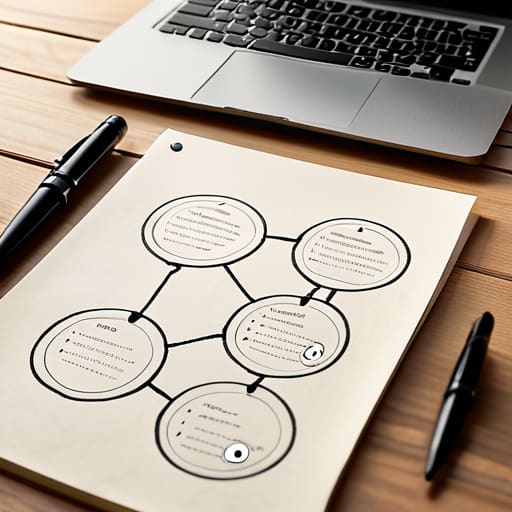
Diagram showing how internal linking works.
Internal Links as a Map

I spent most of last Tuesday on a Zoom call with a founder who was convinced he needed to hire a technical SEO agency to explain how internal linking works. He was staring at a spreadsheet with three thousand rows, terrified that his site architecture was “fundamentally broken.” It’s the same nonsense I see every week: small business owners being sold complex, enterprise-level mapping strategies that require a dedicated department to maintain. Honestly, if you need a PhD and a six-figure budget to connect one page to another, the strategy is broken, not your website.

I’m not here to give you a lecture on crawler bots or semantic relevance clusters. Instead, I’m going to show you how to fix your site structure using nothing but your existing content and a bit of common sense. My promise is simple: I will explain the mechanics of internal links through practical, one-afternoon tasks that you can actually finish before your coffee gets cold. No fluff, no expensive software requirements, and absolutely no complicated diagrams.

Fixing Link Equity Distribution in One Sitting

Most of you are leaking authority like a sieve. You spend money on high-quality content, but your most important service pages are buried five clicks deep, starving for attention. This is a classic failure of link equity distribution. If your homepage is a powerhouse but your money-making pages are invisible to crawlers, you aren’t actually building a website; you’re building a digital graveyard.

Don’t go hiring an expensive agency to redraw your entire site map. Instead, spend ninety minutes doing a manual sweep. Find your three highest-traffic blog posts—the ones that actually get eyeballs—and add contextual internal links from those posts directly to your primary service or product pages. This isn’t about complex silo structure SEO that requires a degree to understand; it’s about building a direct bridge from your popular content to your checkout page.

When you do this, stop using “click here” as your anchor text. It’s lazy and tells Google nothing. Use descriptive, boring phrases that actually say what the destination page is about. If you’re linking to your “Small Business Tax Audit” service, use those exact words. It takes ten minutes to fix the wording, but it makes a massive difference in how search engines value your pages.

Boosting Crawlability and Indexability Before You Clock Out

Boosting Crawlability and Indexability Before You Clock Out

If Google can’t find your pages, they don’t exist. Period. You don’t need a massive technical audit to fix this; you just need to make sure your most important pages aren’t hiding in a digital basement. Most small business sites suffer from “orphaned pages”—valuable content that has zero incoming links from the rest of the site. If a page isn’t linked to from your main navigation or a relevant blog post, your crawlability and indexability will tank because the search bots simply won’t stumble upon it.

Spend your final hour today hunting for these orphans. Once you find them, don’t just dump a link in the footer. Instead, use contextual internal links within your existing, high-traffic articles. If you have a blog post about “Small Business Tax Tips,” add a sentence that links directly to your “Accounting Services” page. This isn’t just about helping the bots; it’s about guiding a human reader toward a solution. Stop overcomplicating the tech and just make sure your best stuff is actually reachable within three clicks from your homepage. If it takes more than a quick scan and a few clicks to find your service page, you’ve failed the user.

5 Quick Wins to Stop Wasting Your SEO Potential

  • Stop using “Click Here” as your anchor text. It tells Google absolutely nothing. Spend twenty minutes going through your top five pages and changing those links to descriptive phrases like “our pricing packages” or “small business marketing tips” instead.
  • Link your high-traffic posts to your service pages. If you have a blog post that’s actually getting eyeballs, use it to push people toward the pages that actually make you money. It takes ten minutes and directs the flow where it matters.
  • Fix your broken links before they kill your momentum. Run a free crawler tool, find the 404s, and either delete the link or point it to a live page. Don’t let a dead end stop a potential customer from seeing your work.
  • Use your footer for your most important, permanent pages. Don’t build a complex site map; just put your three core services in the footer so they are reachable from every single corner of your site without any extra effort.
  • Keep your link depth shallow. If a user (or a search engine) has to click more than three times to find a specific service, your site is too complicated. Simplify your menu so the important stuff is always one or two clicks away.

The Afternoon Audit: 3 Things to Do Before You Close Your Laptop

Stop chasing “perfect” site architecture; just find your five most important service pages and make sure every new blog post links directly to one of them.

Use descriptive, boring text for your links—skip the “click here” nonsense and use actual keywords so Google (and your customers) actually know where they’re going.

Audit your dead ends; if a page has no links pointing out of it, you’re essentially paying to host a digital graveyard, so add a single relevant link to keep the traffic moving.

Stop Overcomplicating Your Site Structure

Stop Overcomplicating Your Site Structure.

Look, we’ve covered a lot, but let’s strip it back to the basics so you can actually get to work. You don’t need a complex hierarchy or a massive SEO agency to fix your link equity; you just need to make sure your most important pages aren’t sitting in a digital corner gathering dust. By spending an afternoon tightening up your internal links, you’ve effectively told Google exactly which pages matter and made it easier for your customers to find what they actually need. It isn’t about building a massive web of connections; it’s about making sure your best content is reachable without a map and ensuring your authority flows where it actually converts.

My advice is simple: don’t let the “perfect” SEO strategy become the enemy of a working website. You don’t need a sixty-page audit or a dedicated developer to see results from this. If you’ve implemented even half of what we discussed, you are already ahead of most of the small firms I consult for who are still chasing enterprise-level ghosts. Pick a few key pages, link them up, and then close your laptop and go do something else. Marketing is a marathon, but your internal linking should be a series of quick, decisive wins that actually move the needle.

Frequently Asked Questions

How many internal links should I actually be adding to a single page without it looking like spam?

Stop looking for a magic number. There isn’t one. If you’re trying to hit a specific quota, you’ve already lost the plot. Instead, look at your text: if a link adds actual value to a reader, add it. If you’re just stuffing keywords to please a bot, delete it. Aim for 3 to 5 meaningful links per 1,000 words. That’s enough to guide a human without making your page look like a junk drawer.

Do I need to use specific keywords in my anchor text, or is it fine to just link "click here"?

Stop using “click here.” It’s lazy, and it tells Google absolutely nothing about where the link is going. If you have thirty minutes, go through your top five most important service pages and ensure the anchor text actually describes the destination. Instead of “click here,” use “our SEO audit service” or “view pricing.” It’s a small tweak, but it makes your site much easier for bots to map out without needing a PhD.

If I change a URL, do I have to manually go through and update every single internal link pointing to it?

Technically, yes, but don’t lose your mind over it. If you don’t update those links, you’re just creating a trail of 404 errors that waste your crawl budget.

How can I tell if my current linking structure is actually helping my SEO or just cluttering my site?

Stop looking at spreadsheets and start clicking. Open your site in an incognito window and try to reach your most important service page from your homepage in three clicks or less. If you’re bouncing around like a lost tourist, your structure is clutter, not SEO. If a link leads to a dead end or a page that hasn’t been updated since 2019, kill it. If it doesn’t serve a clear purpose, it’s just noise.

How to write a comparison page fairly.
Comparing Yourself to a Competitor Fairly

I’ve lost count of how many times I’ve sat in a meeting with a founder who has just spent three grand on a “content strategy” that involves building a 40-page competitive matrix. They’ve been told that learning how to write a comparison page requires a deep-dive audit, a dedicated UX designer, and a month of soul-crushing research. It’s a lie. Most of these enterprise-grade tactics are just expensive ways to procrastinate. If you’re a small firm, you don’t need a white paper; you need a clear answer for the person currently hovering over the ‘buy’ button, wondering why they should pick you over the giant down the street.

I am not going to give you a complex framework or a 12-step process that requires a team of five to execute. Instead, I’m going to show you how to build a high-converting comparison page using nothing more than a spreadsheet and a bit of honesty. My promise is simple: I will give you a method for getting it done in a single afternoon so you can stop theorizing and start actually closing deals.

Mastering Your Product Comparison Content Strategy

Mastering Your Product Comparison Content Strategy.

Stop trying to build a massive content calendar for this. You don’t need a six-month roadmap; you need a clear product comparison content strategy that actually reflects what your customers are asking in emails. Most people make the mistake of trying to write a manifesto for their brand. Don’t do that. Instead, look at the three most common reasons people hesitate to buy from you. Is it price? Is it a specific missing feature? Is it the setup time? Address those three things, and you’ve already done 80% of the heavy lifting.

When you sit down to do the actual writing, focus on evaluating features and benefits through the lens of a busy person. Your customer isn’t looking for a technical manual; they are looking for a reason to stop searching and start buying. If you spend your afternoon listing fifty granular technical specs, you’ve wasted your time. Pick the five metrics that actually matter to your bottom line and present them clearly. If a feature is a “nice-to-have” for a massive enterprise but a “must-have” for your small clients, say that. Honesty converts better than hype. Keep it lean, keep it useful, and get it published before lunch.

Decoding User Intent for Comparison Pages

Decoding User Intent for Comparison Pages.

Stop trying to guess what your customers want and start looking at what they are actually doing. When someone lands on a comparison page, they aren’t in the “awareness” phase looking for a lecture on industry trends; they are deep in the weeds of evaluating features and benefits. They have already decided they have a problem, and they have likely already shortlisted you and one other person. They aren’t looking for a sales pitch; they are looking for a reason to stop searching.

The mistake I see small firms make constantly is writing for themselves rather than for the person with the credit card in their hand. Understanding user intent for comparison pages means recognizing that your reader is looking for clarity, not fluff. They want to know exactly where you win and, more importantly, where you don’t. If you try to hide your weaknesses behind vague marketing jargon, you lose their trust instantly.

Instead of writing a manifesto, just answer the three questions they are actually asking: “Is this easier to use?”, “Is it worth the extra cost?”, and “Will it actually solve my specific headache?” If you can answer those clearly in a single afternoon of focused writing, you’ve done more for your conversion rate than any expensive agency could with a six-month strategy.

Five Ways to Build a Comparison Page Without Losing Your Mind

  • Stop trying to be objective. You aren’t a Wikipedia editor; you’re a business owner. Highlight the specific features that actually matter to your customers and downplay the bells and whistles your competitors have that you don’t. It’s not lying, it’s positioning.
  • Use a checklist, not a novel. Nobody wants to read a 500-word paragraph explaining why your software is better. Use green ticks and red crosses in a simple table. If a prospect can’t scan the page and understand your advantage in ten seconds, you’ve failed.
  • Pick your battles. Don’t try to compete on every single metric. If the big player has a massive enterprise integration you’ll never build, don’t even list it. Focus your comparison on the three things you actually do better—like speed, price, or human support.
  • Kill the jargon. If you find yourself using words like “synergy” or “robust ecosystem,” delete the sentence. Write like you’re explaining the difference to a friend at a pub. “We do X in two clicks; they take ten minutes.” That’s what people actually care about.
  • Add a “Who this is for” section. This is the ultimate time-saver. Instead of fighting a losing battle against a massive competitor, tell the truth: “If you need a global empire, go to them. If you need a tool that actually works for a team of five, stay here.” It builds instant trust.

The Three-Point Checklist for Comparison Pages

Stop trying to out-feature the giants; pick three specific areas where you actually win and focus your copy there.

Don’t write a manifesto—use a simple table that a customer can scan in under thirty seconds.

If you can’t build the page and write the copy before your coffee gets cold, you’ve made it too complicated.

Stop Planning and Start Comparing

Stop Planning and Start Comparing competitors.

Look, we have covered the ground. You need to understand why your customers are looking for a comparison in the first place, you need to map out your features against the competition, and you need to ensure your content actually answers the specific questions they are asking. Most importantly, you need to stop waiting for a “perfect” strategy to emerge from a three-month consulting engagement. You don’t need a massive content calendar or a sophisticated attribution model to make this work. Just grab a simple spreadsheet, pick your three biggest competitors, and map out the gaps between what they offer and what you actually deliver. If you can’t outline the basic structure in a single afternoon, you are overcomplicating the process.

My advice is simple: get it live. A mediocre comparison page that is actually published and searchable is infinitely more valuable than a “comprehensive strategic framework” sitting in your drafts folder. Your customers are already out there searching for these answers; they are just doing it on your competitor’s site right now. Stop treating your marketing like a massive enterprise project and start treating it like a series of small, actionable wins. Go build that page, make it useful, and then move on to the next task. You have work to do.

Frequently Asked Questions

How do I keep the comparison honest without making my competitors look like absolute villains?

Stick to the facts, not the feelings. If you call them “outdated” or “terrible,” you look desperate and biased. Instead, use a spreadsheet to map specific features. If they have a massive enterprise team and you don’t, own it: “They offer 24/7 global support; we offer personalized, direct access to our founder.” Honesty builds trust; hyperbole builds skepticism. Compare capabilities, not character. It’s cleaner, faster, and much harder for them to argue with.

What’s the fastest way to pull feature data if I don't have a dedicated research team?

Stop looking for a research team; you don’t have one. Open three tabs: your website, your biggest competitor, and their pricing page. Spend sixty minutes in a spreadsheet. Column A is your feature, Column B is theirs, Column C is the “So What?” factor. If you can’t find a specific spec, don’t guess—just note it as “Contact for details.” Speed beats perfection. You need a working draft by tea time, not a white paper.

Should I use a table or a side-by-side list to keep things readable for someone scanning on a phone?

Use a side-by-side list. Tables are a nightmare on mobile; they force users to scroll horizontally, which is the quickest way to lose a lead. If they can’t scan your value proposition with a thumb-swipe, you’ve failed. Stick to a vertical stack of features. It’s cleaner, it’s readable, and you can build it in twenty minutes without needing a developer to fix the responsive CSS. Keep it simple.

How do I stop this from turning into a massive project that eats up my entire week?

Stop planning a “content strategy” and just build a table. Open a spreadsheet, list your three biggest competitors in the columns, and your key features in the rows. Spend ninety minutes checking their sites and filling in the blanks. If you can’t finish the draft by lunch, you’re overcomplicating it. You don’t need a creative agency or a week of “discovery sessions”; you just need a clear list of why you’re better.

How to use a preference centre effectively.
Letting People Choose Less Rather Than None

I’ve lost count of how many “marketing gurus” have tried to sell small business owners a $5,000 custom-built automation suite just to manage email settings. It’s absolute nonsense. They tell you that you need a complex, multi-layered architecture to understand your audience, but all they’re really doing is selling you a headache you don’t have time for. If you’re sitting there wondering how to use a preference centre without hiring a full-time developer or a data scientist, you aren’t doing anything wrong; you’re just being lied to by people who love unnecessary complexity.

I’m not here to give you a theoretical lecture or a 40-slide deck. My promise is simple: I am going to show you how to build and deploy a functional preference centre that actually works, using tools you likely already pay for. We are going to focus on practical, high-impact settings that you can set up by lunch. No enterprise fluff, no wasted budget—just a direct way to keep your subscribers happy and your unsubscribe rates low.

Master Permission Based Marketing in Two Hours

Master Permission Based Marketing in Two Hours

Stop treating your email list like a captive audience. Most small firms think they need complex customer engagement strategies to keep people around, but they’re actually just shouting into a void. If you want to master permission-based marketing without losing your entire Tuesday, you need to give people an “out” that isn’t just the big, scary unsubscribe button. Instead of letting them leave entirely, give them the steering wheel.

Here is your two-hour sprint: open your email tool and create a simple landing page with three or four checkboxes. Don’t ask for their life story; just ask how often they want to hear from you (weekly vs. monthly) and what they actually care about (product updates vs. industry news). This is the most efficient way of reducing unsubscribe rates because you aren’t forcing a “one size fits all” approach on a crowd that clearly wants something different.

Once that page is live, drop the link in your next newsletter and your automated welcome sequence. That’s it. You haven’t built a massive database architecture; you’ve just implemented user-centric communication settings that actually respect your customers’ time. If you can’t set this up before your afternoon coffee gets cold, you’re overcomplicating it.

Quick Wins for User Centric Communication Settings

Quick Wins for User Centric Communication Settings

Stop treating your email list like a hostage situation. If you want to improve your customer engagement strategies without hiring a full-time agency, start with the frequency dial. Most small businesses make the mistake of offering an “all or nothing” choice: stay on the list or get out. That’s lazy. Instead, give them the option to scale back. Let them choose “once a month” instead of “every Tuesday.” It takes ten minutes to add these checkboxes to your existing form, and it’s one of the most effective ways of reducing unsubscribe rates before they even happen.

Next, segment by interest, not just by name. If you sell both consulting services and digital products, let them pick which bucket they want to sit in. This isn’t about complex data-driven personalization that requires a PhD; it’s about not sending a product discount to someone who only wants your industry insights. When you implement these user-centric communication settings, you aren’t just being “nice”—you’re ensuring that every email you send actually has a chance of being opened. Keep the options simple, keep the language plain, and get back to your actual job.

5 Ways to Use Your Preference Centre Without Wasting a Week

  • Stop the “All or Nothing” trap. Instead of letting people unsubscribe entirely, give them a checkbox for “Monthly Digest” vs “Weekly Updates.” It takes ten minutes to set up and keeps your list size from cratering.
  • Group your content by interest, not by product line. If you sell three different services, don’t make them opt-in to “Product A”; let them tick a box for “How to save money” or “How to scale up.” It’s more intuitive for them and easier for you to manage.
  • Use frequency settings to stop the spam accusations. Add a simple toggle for “Daily,” “Weekly,” or “Just the big stuff.” Most people aren’t angry at your content; they’re just annoyed by the volume.
  • Audit your links once a month. Check that every single one of your marketing emails actually points to the preference page. If a customer has to hunt for the settings, they’ll just hit the “Unsubscribe” button instead.
  • Keep the language plain. Ditch the “Communication Preferences” jargon. Just call it “How often do you want to hear from us?” and let them click a button. If it looks like a legal document, they’re going to close the tab.

The Bottom Line

Stop treating your email list like a captive audience; give them the steering wheel so they don’t just hit ‘unsubscribe’ when you get too loud.

Keep your settings dead simple—if a customer needs a manual to tell you how often they want to hear from you, you’ve already lost them.

A working preference centre isn’t a tech project; it’s a quick fix to stop your engagement rates from tanking because you’re sending everything to everyone.

Stop Overcomplicating Your List

Stop Overcomplicating Your List with simple checklists.

Look, we’ve covered the essentials: stop treating your email list like a captive audience and start treating it like a group of people with actual lives. You don’t need a complex, multi-layered CRM integration to make this work. You just need to give people a way to tell you, “I like your stuff, but stop emailing me every single day.” By implementing a simple checklist for frequency and content type, you aren’t just reducing your unsubscribe rate; you are protecting your deliverability and ensuring that the people who actually want to hear from you aren’t drowning in noise. If you can set these basic options up before your afternoon coffee break is cold, you’ve already done more than most “enterprise-ready” firms.

At the end of the day, marketing isn’t about mastering some grand, theoretical funnel; it’s about respecting the attention your customers give you. When you give them control, you build a level of trust that no high-budget agency campaign can buy. Don’t let the fear of “losing subscribers” stop you from cleaning up your act. I’d much rather have a list of 200 people who actually read my updates than 2,000 people who are one annoying Tuesday away from hitting the spam button. Keep it lean, keep it useful, and get back to work.

Frequently Asked Questions

Do I really need a separate page for this, or can I just use a simple form?

Don’t build a dedicated page. That’s a waste of a Tuesday. If you’re using an email tool like Mailchimp or Klaviyo, they already have a hosted preference center template ready to go. Just customize the text, link it in your footer, and you’re finished. If you’re doing it manually, a simple Google Form with checkboxes works fine. If it takes more than an hour to set up, you’re over-engineering a solution to a problem that doesn’t exist.

How do I know if my current email list is actually using these settings?

You don’t need a complex audit. Open your email platform and look at two numbers: your click-to-open rate and your unsubscribe velocity. If people are clicking through but your engagement is cratering, they’re seeing stuff they didn’t ask for. If unsubscribes spike every time you send a specific type of update, your settings are failing. Check the logs. If the data looks messy, your settings aren’t working. Fix it before lunch.

What happens if a customer chooses "none of the above"—do I just delete them?

Absolutely not. Don’t go deleting people just because they’ve hit the “none” button. That’s a waste of a lead. If they opt out of your specific categories, they’re telling you they don’t want your current noise, not that they want to vanish. Keep them on a “dormant” list. Check back in a few months with a single, high-value update. If they still ignore you, then you can stop wasting your afternoon chasing them.

Is it worth the time to set this up if I only send one email a month?

If you’re only sending one email a month, you don’t need a complex, multi-tiered preference centre. Don’t waste your Tuesday building a custom portal. Instead, just add a simple line at the bottom of your monthly blast: “Too much? Click here to tell us how often you want to hear from us.” It takes ten minutes to set up, keeps your unsubscribes low, and ensures you aren’t shouting into a void of annoyed subscribers.

Guide on how to write a category page.
Category Pages That Are Not Empty

I’ve spent eleven years watching “experts” try to sell small business owners massive, multi-page content strategies that require a dedicated team of six to execute. They’ll tell you that learning how to write a category page requires deep semantic keyword research, complex internal linking audits, and a month of copywriting. It’s absolute rubbish. Most of the time, you don’t need a content agency; you just need to stop staring at a blank screen and realize that your customers are looking for clarity, not a literary masterpiece.

I’m not here to give you a lecture on SEO theory or show you some bloated marketing funnel. Instead, I’m going to show you how to build a high-performing category page using nothing but your own knowledge and a single afternoon of focused work. My promise is simple: I will give you a practical, step-by-step framework that you can finish before your coffee gets cold. We are going to focus on results you can actually measure, without the enterprise-level fluff that wastes your time and money.

The One Afternoon Framework for Product Category Descriptions

The One Afternoon Framework for Product Category Descriptions

Stop trying to build a content empire. Most agencies will tell you that you need a 500-word deep dive with complex semantic keyword research for categories before you even launch. That is nonsense. If you are running a lean operation, you don’t have time for a research project that takes three weeks. Instead, I want you to follow a simple three-step sprint: define the “why,” list the “what,” and connect the “where.”

First, write two sentences that explain exactly what is in this collection and why it matters to the customer. This isn’t about stuffing keywords; it’s about improving user experience on category pages so people don’t bounce immediately. Second, list three common use cases or features in bullet points. Bullet points are your best friend because they are easy to scan and even easier to write. Finally, drop one sentence at the bottom that points them toward a related collection. This basic internal linking strategy for categories keeps people moving through your site without you needing to hire a technical SEO specialist to map out a massive web. Do this for your top five categories, and you’re already ahead of 90% of your competition.

Rapid Semantic Keyword Research for Categories Without the Fluff

Rapid Semantic Keyword Research for Categories Without the Fluff

Stop paying for expensive SEO audits that hand you a 40-page PDF of “opportunities” you’ll never actually act on. If you’re trying to nail your semantic keyword research for categories, you don’t need a data scientist; you need a search bar and a bit of common sense. Go to Google, type in your main category term, and look at the “People Also Ask” section. Those questions are your roadmap. They tell you exactly how real humans describe what you sell, which is infinitely more valuable than any bloated keyword tool report.

Once you have those terms, don’t get bogged down in technical jargon. Your goal with optimizing product category descriptions isn’t to satisfy a bot; it’s to prove to a customer that they are in the right place. Use the phrases you found in your quick search to build out your text, but keep it conversational. If you find yourself staring at a spreadsheet for more than twenty minutes, you’ve gone too far. Pick five related terms, weave them into three honest sentences, and move on to the next category. Efficiency wins every time.

Five Rules to Stop Overthinking Your Category Pages

  • Stop writing essays. Nobody reads a 500-word block of text before they get to the products; aim for two to three punchy sentences that tell the customer exactly what they’ll find in this section.
  • Use your own voice, not a thesaurus. If you wouldn’t say “comprehensive selection of artisanal goods” to a client over a pint, don’t put it on your website.
  • Answer the “So What?” test. Don’t just list features; tell them why this specific category matters to their problem, like “heavy-duty tools for weekend DIYers who hate returning to the hardware store.”
  • Front-load your keywords. Put your main category term in the first sentence so Google knows where it is and your customers know they’ve landed in the right place.
  • Link to your heavy hitters. If you have a star product in that category, mention it by name in the description and link directly to it so you aren’t making the customer hunt for your best stuff.

The No-Nonsense Summary

Stop aiming for perfection; write three useful sentences per category and move on.

Use the actual words your customers use in search bars, not the flowery jargon you think sounds professional.

If a task takes longer than a single afternoon, you’re over-engineering it and wasting money.

Stop Planning and Start Publishing

Stop Planning and Start Publishing now.

Look, we’ve covered the essentials: keep your descriptions punchy, use semantic keywords that actually sound like human speech, and follow a framework that doesn’t require a PhD in data science. You don’t need a six-month content strategy or a team of expensive copywriters to make these pages work. All you need is a clear understanding of what your customers are actually looking for and the discipline to stop over-optimizing. If you’ve implemented the rapid research and the one-afternoon framework, you are already ahead of 90% of your competitors who are still paralyzed by “best practices” that don’t move the needle. Done is better than perfect, especially when perfect takes three weeks and a budget you don’t have.

My advice is simple: close this tab, open your CMS, and get those descriptions live before your next coffee break. You can always tweak a sentence or swap a keyword next Tuesday, but you can’t optimize a page that doesn’t exist. Stop treating your category pages like high-stakes academic papers and start treating them like the functional tools they are meant to be. You have the framework, you have the keywords, and you certainly have the capacity to do this yourself. Now, go get it done.

Frequently Asked Questions

How much text is actually enough to satisfy Google without wasting my entire Tuesday?

Stop chasing the 2,000-word whitepaper myth. If you’re a small team, writing a dissertation for every category page is a fast track to burnout and zero ROI. Google wants relevance, not volume. Aim for 150 to 300 words of actual, useful description that tells a human why these products matter. If you can’t write it, edit it, and post it before your afternoon coffee runs out, you’re overcomplicating it.

Do I really need to write unique descriptions for every single category, or can I reuse some of the same phrasing?

Don’t get caught in a loop of “copy-paste” thinking. If you use the exact same phrasing for every category, Google will eventually ignore you, and your customers will smell the laziness. However, you don’t need a literary masterpiece for each one. Use a consistent structure—maybe a standard way you describe your shipping or quality—but the core description must be unique. If you can’t write a fresh, three-sentence blurb in ten minutes, you’re overcomplicating it.

What do I do if my categories are too similar to tell them apart quickly?

If your categories look identical, you haven’t defined the “why” behind them. Stop trying to find subtle linguistic differences and look at the customer’s intent. One category is for “The Weekend Warrior,” and the other is for “The Professional Pro.” If you can’t distinguish them by the specific problem they solve, you shouldn’t have two categories. Merge them. It’s better to have one strong, clear page than two confusing, thin ones.

Should I be including links to specific products in these descriptions, or is that just more work for nothing?

Yes, but don’t go overboard. If you spend three hours hyperlinking every single item, you’ve failed my afternoon rule. Pick your top three bestsellers or highest-margin products and link to them directly within the text. It helps the customer move faster and gives Google a clear path to your money-makers. Link the big hitters, skip the rest, and get back to running your business. Anything more is just busywork.

How to set up a referral scheme.
A Referral Scheme That Is Not Awkward

I spent three years watching “growth hackers” try to sell boutique agencies software suites that cost more than their monthly rent, all just to figure out how to set up a referral scheme. They’ll talk to you about automated multi-touch attribution, tiered loyalty ecosystems, and complex algorithmic rewards. It’s absolute nonsense. Most of these tools are built for companies with entire departments dedicated to tracking a single click, and if you try to implement them, you’ll spend months troubleshooting instead of actually running your business.

I’m not here to sell you a subscription or a complicated flowchart. My promise is simpler: I am going to show you how to build a referral engine that actually works using nothing but a spreadsheet, an email template, and a bit of backbone. We are going to strip away the enterprise fluff and focus on the only thing that matters—getting your best customers to tell their friends about you. By the time you finish reading this, you’ll have a plan that you can launch before dinner without needing a single line of code.

Building Viral Marketing Loops Without the Complexity

Building Viral Marketing Loops Without the Complexity

Stop trying to build a complex engine of viral marketing loops that requires a dedicated data scientist to monitor. Most “growth hackers” will tell you that you need sophisticated, automated referral software to track every micro-interaction. They are wrong. For a small firm, that is just more overhead you don’t need. Instead, focus on the simplest version of word of mouth marketing strategies: a clear, manual incentive that actually means something to your client. If you can’t explain the loop to a friend over a pint in thirty seconds, it’s too complicated.

You don’t need a dashboard to see if it’s working. Real success in customer acquisition cost reduction comes from making the reward so obvious that the customer feels like an idiot for not sharing it. Forget the tiered, multi-level structures that look like a pyramid scheme; stick to a simple “Give £10, Get £10” or a direct discount on their next invoice. Once you’ve sent that one email to your top ten clients, spend your afternoon actually running your business instead of tweaking software settings. If the math doesn’t work with a simple spreadsheet, a fancy platform won’t save you.

Simple Word of Mouth Marketing Strategies That Actually Work

Simple Word of Mouth Marketing Strategies That Actually Work

Stop trying to engineer a revolution. Most of the “viral marketing loops” you see on LinkedIn are designed for companies with twenty-person growth teams and massive budgets. If you’re running a lean operation, you don’t need a complex algorithm; you need to leverage the people who already like you. The most effective word of mouth marketing strategies are usually the ones that feel like a personal favor rather than a corporate campaign.

Start by identifying your top five customers—the ones who actually answer your emails and tell their friends about you. Send them a direct, personal note. Don’t offer them a complicated points-based system; just give them something tangible. Whether it’s a discount on their next invoice or a gift card, keep your referral program reward structures incredibly simple. If a customer has to log into a portal and fill out five fields just to give you a lead, they won’t do it.

Focus on the math that actually matters: customer acquisition cost reduction. A manual email to a loyal client costs you nothing but ten minutes of your time. You don’t need expensive, automated referral software to see if this works. Just track how many people mention a specific friend’s name and move on with your day.

Five Ways to Launch Without Losing Your Mind

  • Pick one reward and stick to it. Don’t build a points-based ecosystem or a tiered loyalty dashboard. Just offer something tangible—a 10% discount, a £20 voucher, or a free month of service. If you can’t explain the incentive in five words, it’s too complicated.
  • Use your existing email list. Do not buy new software to manage this. Draft a single, punchy email to your top 20% most active customers. Tell them exactly what you want them to do and what they get in return. Send it, then get back to your actual job.
  • Make the “ask” a single sentence. Most people fail because they write a manifesto about why referrals are important. Your customers don’t care about your growth metrics. Just say: “Know someone who needs [X]? Send them this link and you both get [Y].”
  • Automate the delivery, not the process. You don’t need a complex tracking algorithm. Use a simple coupon code or a manual shout-out in your next invoice. If you can’t track it in a basic spreadsheet, it’s too heavy for a small firm.
  • Set a deadline for the pilot. Don’t let a “scheme” turn into a permanent administrative burden. Run it for one month, see if anyone actually bites, and if the math doesn’t work, kill it. A failed experiment is better than a permanent time-sink.

The Three-Step Reality Check

Stop hunting for “viral loops” and just ask your three best clients for a name; it takes ten minutes and actually moves the needle.

If your reward system requires a new software subscription or a complex tracking spreadsheet, scrap it and just offer a discount or a gift card manually.

Automate nothing until you have done it manually five times; don’t waste an afternoon setting up a sequence for a process that hasn’t even worked once.

Stop Planning and Start Sending

Stop Planning and Start Sending referrals now.

Look, we’ve covered enough ground to know that a referral scheme doesn’t need a six-month development roadmap or a fancy software integration to be effective. You don’t need complex loops or multi-stage automated sequences that require a full-time admin to manage. All you really need is a clear incentive, a way to track who sent whom, and the guts to actually ask for the referral. If you can pick a reward, draft a three-sentence email, and send it to your top ten clients by 4:00 PM today, you have done more for your growth than most firms do in a fiscal year of “strategy sessions.” Keep it lean, manual, and measurable.

The biggest mistake I see small firms make is waiting for the “perfect” moment to launch, usually while they’re busy staring at a complicated spreadsheet of projected customer acquisition costs. That moment isn’t coming. Your customers are already talking about you; you just haven’t given them a reason to do it loudly. Stop treating marketing like a science experiment and start treating it like a conversation. Go out there, offer something of value, and get your first referral by dinner time.

Frequently Asked Questions

How do I actually track who referred whom without buying expensive software?

Stop looking at SaaS pricing pages. You don’t need a dashboard to track a handful of referrals.

What is a realistic reward that won't eat all my profit margins?

Stop thinking about cash. If you’re handing out £50 vouchers, you aren’t running a referral scheme; you’re running a charity.

Do I need to write a formal set of terms and conditions, or can I keep it casual?

Keep it casual, but keep it clear. You don’t need a ten-page legal document that scares people off. You just need a bulleted list of the “rules of the game” so you don’t get burned. State exactly what they get, how they get it, and when it expires. If you can’t explain your referral rules to a stranger in a pub in under sixty seconds, they’re too complicated. Write it, post it, move on.

How often should I remind my customers about the scheme without being annoying?

Stop treating your customers like a lead list you need to hammer. If you’re emailing them every week to “remind” them about a referral, you’re just creating spam.