
Modular Templates Anyone Can Use
I’ve spent eleven years watching “marketing gurus” try to sell small business owners a $5,000 automation suite just to solve a problem that requires a simple spreadsheet and three decent layouts. They’ll tell you that learning how to build an email template system requires a dedicated designer, a complex CRM, and a six-month rollout plan. That is absolute nonsense. Most of the time, you aren’t a global enterprise; you’re a person with a real job and a finite amount of sanity, and you don’t need a multi-layered framework to send a decent newsletter.
I’m not here to give you a lecture on scalable architecture or show you a single slide with a funnel on it. Instead, I’m going to show you how to build a working system that you can actually finish before your coffee gets cold this afternoon. We are going to pick three core layouts, strip out the fluff, and get you moving. This is about practicality over prestige, ensuring you spend your time actually talking to customers rather than fighting with your software.
Mastering a Modular Email Design Workflow
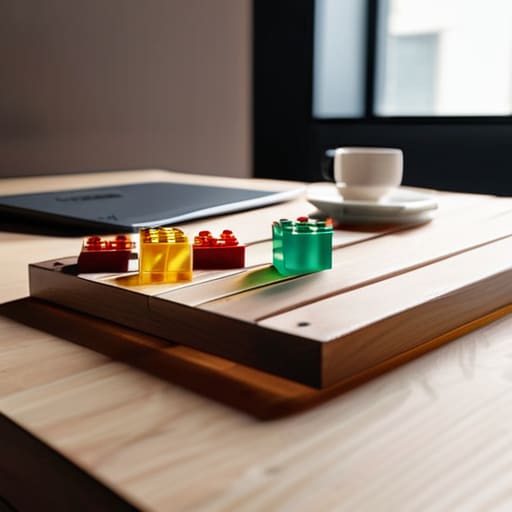
Stop trying to design every single email from a blank canvas. That is a recipe for burnout and a massive waste of your Tuesday. Instead, you need a modular email design workflow. Think of it like building with LEGO bricks rather than sculpting from marble. You aren’t creating “an email”; you are creating a library of small, functional blocks—a header, a product feature block, a testimonial snippet, and a footer. Once you have these pieces, “designing” an email becomes nothing more than dragging and dropping your existing assets into a new sequence.
The secret to making this work without a dedicated design team is focusing on reusable HTML email components. Don’t get bogged down in complex coding; just ensure your blocks are clean, mobile-responsive, and follow your basic brand colors. If you spend your afternoon building ten solid blocks, you’ve effectively built a hundred different email variations. It’s about speed and utility, not artistic perfection. If a component takes more than twenty minutes to tweak, it’s too complicated. Keep your blocks simple, keep them consistent, and get back to running your actual business.
Building Your Reusable Html Email Components

Stop trying to code a masterpiece from scratch every time you need to announce a sale or a new blog post. That is a recipe for burnout and inconsistent branding. Instead, focus on creating a handful of reusable HTML email components that actually work. I’m talking about the basics: a solid header, a standard text block, a single-column image layout, and a clear call-to-action button. If you build these pieces once, you aren’t “designing” anymore; you’re just assembling.
This approach is the backbone of component-based email development, and it’s the only way to keep your sanity when you’re running a business solo. Don’t get bogged down in complex code that requires a developer to fix every time a client changes a font. Keep your snippets clean and simple. If you can’t copy, paste, and swap the text in under ten minutes, your system is too heavy. The goal here isn’t high-concept art; it’s speed and reliability so you can get back to actually running your company.
5 Rules for Templates That Won't Waste Your Tuesday
- Stop designing from scratch every time you have a sale. Pick three layouts—a text-heavy update, a single image hero, and a product showcase—and stick to them. If you can’t drag and drop them into place in ten minutes, you have too many options.
- Kill the “brand guidelines” bloat. You don’t need a 40-page PDF on kerning. Just pick two fonts that actually work in an inbox and three hex codes. Write them on a post-it note and stop debating them.
- Build for the thumb, not the desktop. Most of your customers are reading this while waiting for a bus or sitting on the toilet. If your buttons are tiny or your text is microscopic, your “system” is just a way to annoy people.
- Use “placeholder” logic. Create your templates with generic blocks for images and text so you aren’t hunting for the perfect lifestyle shot for twenty minutes. Get the structure right first, then plug in the content.
- Test the “Send” button on your own phone immediately. If the layout breaks or the images don’t load on your mobile data, scrap the template and fix the code before you even think about a wider rollout.
The Afternoon Audit: Three Rules for Staying Sane
Stop building “custom” emails for every single campaign; if you can’t drag and drop a pre-made block into place in under ten minutes, your system is broken.
Limit your library to five core modules—header, text, image, button, and footer—and ignore everything else until you actually have the headcount to manage it.
Test your templates on your own phone before you hit send, because a “perfect” design is useless if it looks like a jigsaw puzzle on a mobile screen.
Stop Overcomplicating Your Inbox

Look, we’ve covered a lot, but let’s strip it back to the basics. You don’t need a massive agency or a complex coding suite to get this right. You just need a handful of modular blocks, a few consistent layouts, and the discipline to actually use them instead of reinventing the wheel every Tuesday morning. By building these components once, you stop wasting your precious mental energy on formatting issues and start focusing on what actually moves the needle: the copy and the offer. If your system takes more than a few clicks to deploy, it’s broken, and you need to simplify it until it fits into a single afternoon of work.
At the end of the day, marketing shouldn’t feel like a second full-time job you didn’t apply for. You are running a business, not a design studio. The goal of this template system isn’t to win an award for the most beautiful email in the industry; it is to give you your time back so you can actually focus on growing your revenue. Stop letting “perfect” be the enemy of “done.” Build your kit, hit send, and get back to the work that actually pays the bills. Execution beats perfection every single time.
Frequently Asked Questions
Do I really need to touch HTML, or can I just use a drag-and-drop editor for these components?
Look, if you can use a drag-and-drop editor without breaking a sweat, use it. I’m not here to turn you into a developer. The goal is a system you can actually manage, not a coding project that eats your entire week. Just make sure your editor allows you to save “blocks” or “modules.” If you can save a header, a product grid, and a footer as reusable pieces, you’ve won. Stop overcomplicating it.
How many different layouts are actually enough before I’m just wasting time building things I’ll never use?
Stop building for a hypothetical future. You need exactly three: a “Big News” layout (one hero image, one block of text), a “Product/Service Spotlight” (image on one side, text on the other), and a “Plain Text” style for quick updates. If you can’t kit those out by 3:00 PM, you’re over-engineering. Anything more is just procrastination disguised as “branding.” Stick to the core three and get back to selling.
If I change a brand color or a font, do I have to manually update every single template I've built?
If you’re manually updating every single template, you aren’t building a system; you’re just doing busywork. If you’ve set up your components correctly using hex codes and style blocks, you only change the value once in your master CSS or style sheet. If your setup is modular, one change ripples through. If it doesn’t, you’ve built a house of cards, not a workflow. Fix the core, and the rest follows.
How do I make sure these templates don't look like total junk when they hit a client's mobile inbox?
Stop obsessing over pixel-perfect layouts. Most people check email on a phone while walking or waiting for coffee; they aren’t inspecting your margins. Stick to a single-column layout. It’s the only way to ensure your content stacks correctly without breaking. Use large, tappable buttons—no tiny text links—and keep your images small so they actually load. If it looks clean in a single vertical strip, you’ve won. Don’t over-engineer it.
