The Line After the Subject
I’ve spent eleven years watching “experts” try to sell small business owners complex automation workflows and expensive A/B testing software just to fix a simple open rate problem. It’s exhausting. They’ll spend an hour lecturing you on psychological triggers, but they completely ignore the most basic mechanical reality of how preview text works. If you aren’t using that tiny sliver of real estate in the inbox to actually say something, you are essentially throwing your hard-earned marketing budget into a black hole. You don’t need a data scientist; you just need to stop letting your email client default to “Can’t see images? Click here to view in browser.”
I’m not here to give you a lecture or a thirty-slide deck. My promise is simple: I’m going to show you how to master your snippet text in under twenty minutes. We’re going to skip the enterprise fluff and focus on the one practical tweak that actually gets people to click. By the time you finish reading this, you’ll have a repeatable system that any one of you can implement before your next coffee break.
Subject Line vs Preview Text the Battle for Attention
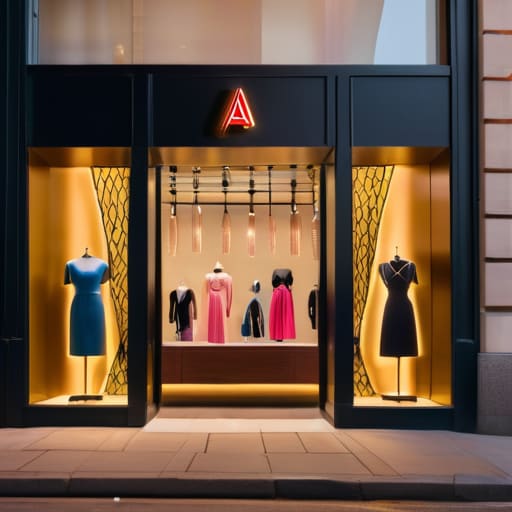
Think of your email like a shop window. The subject line is the big, flashy sign above the door, but the preview text is the display in the window itself. If the sign says “Sale Today!” but the window is just a pile of cardboard boxes, nobody is walking in. Most people I consult for treat the subject line like the only player in the game, but when it comes to email marketing open rates, the preview text is what actually closes the deal. It provides the context that the subject line lacks.
The real friction happens because of how different email client display settings work. On a desktop, you might see a decent chunk of text, but on a smartphone, you’re fighting for every pixel. If you don’t take ten seconds to curate that snippet, the reader is just going to see “View in browser” or “Can’t see images?”—which is a total waste of a perfectly good opportunity.
Don’t treat them as two separate tasks. Instead, view the subject line vs preview text dynamic as a single, cohesive unit of email copywriting. Use the subject line to grab the attention and the preview text to provide the reason to click. If you can’t write both in under three minutes, you’re overcomplicating it.
Mastering the Email Client Display Without a Designer
Stop waiting for a graphic designer to tell you what looks “pretty.” Most of your customers aren’t looking at your custom-coded layouts; they are looking at a tiny sliver of text on a smartphone screen. If you want to improve your email marketing open rates, you need to treat your preview text like a secondary headline, not a design element. I see so many small business owners wasting hours on fancy templates when they haven’t even mastered the mobile email view optimization that actually drives clicks.
The reality of email client display is messy. Gmail, Outlook, and Apple Mail all slice your text differently. To win, you need to front-load your most important information. Don’t let your preview text default to “View this email in a browser” or a string of random code. That is a wasted opportunity. Instead, spend ten minutes writing a punchy, one-sentence hook that complements your subject line. If your subject line asks a question, let the preview text provide the teaser for the answer. It’s a low-effort, high-impact move that you can execute between meetings without needing a single creative brief.
Five ways to stop wasting your preview text
- Stop repeating your subject line. If your subject is “Summer Sale is Live,” don’t let the preview text say “Summer Sale is Live.” Use that extra space to add a reason to click, like “Get 20% off before midnight.”
- Front-load the value. Most people check email on their phones, which cuts off long strings of text. Put your most important hook or offer in the first 40 characters so it doesn’t get truncated.
- Write it like a teaser, not a summary. You aren’t writing a book report; you’re writing a cliffhanger. Give them enough to be curious, but make them click the email to get the actual answer.
- Use a “dummy” line if your email builder is messy. If your software automatically pulls in “View in browser” or “Unsubscribe” into the preview, add a string of non-breaking spaces at the top of your email body to push that junk out of sight.
- Treat it as a second subject line, not an afterthought. I spend five minutes on my subject line and then skip the preview text entirely—that’s a mistake. Spend an extra two minutes ensuring they work together as a team.
The Afternoon Checklist: Three Ways to Stop Wasting Your Opens
Stop treating preview text like a second subject line; use it to finish the thought, not repeat it.
Check your own phone before you hit send—if the first sentence looks like a broken piece of code or a “View in Browser” link, fix it immediately.
Write your hook in under five minutes. If you’re staring at a blank screen for longer than that, your preview text is too complicated for your actual business needs.
Stop Leaving Money on the Table
Look, we’ve covered the essentials. You don’t need a graphic designer or a complex automation sequence to fix this. You just need to realize that your subject line gets them to look, but your preview text is what actually convinces them to click. Stop letting your email clients default to “Can’t see images? Click here” or “View in browser.” That is wasted real estate. Spend ten minutes before you hit send ensuring that those first few words are doing the heavy lifting. If you can summarize the value in a single, punchy sentence, you have already won half the battle.
My advice is simple: treat your preview text like a miniature sales pitch, not an afterthought. You aren’t building a massive, multi-stage funnel here; you are just trying to win the next ten seconds of a customer’s attention. Don’t let the “big agency” mindset tell you that you need a week of strategy sessions to master an email. You don’t. Just write a better hook, check the preview on your own phone, and move on to the next task on your list. Execution beats perfection every single time.
Frequently Asked Questions
Does the preview text show up differently on mobile versus desktop?
Yes, it does, and it’s usually a mess. On desktop, you might get a decent line or two of text. On mobile, the preview text is king—it often takes up more screen real estate than the subject line itself. If your preview text is just “View this in a browser,” you’ve wasted your most valuable mobile real estate. Check your own phone before you hit send. If it looks like a wall of junk, fix it.
What happens if my email content is too long—does it just cut off randomly?
Yes, it cuts off. Most mobile apps and even desktop clients will truncate your text after about 40 to 90 characters. If your first sentence is a rambling paragraph about your company’s history, the reader will see nothing but a wall of “Click here to read more…”
Can I use preview text to repeat my subject line if I'm running out of ideas?
Don’t do it. Repeating yourself is the fastest way to look like a bot or, worse, someone who’s given up. If your subject line is “Flash Sale Ends Tonight” and your preview text is “Flash Sale Ends Tonight,” you’ve wasted a prime piece of real estate. Use that space to add a specific detail instead—like the discount code or the deadline. Give them a reason to click, not a déjà vu moment.
Is there a specific character count I should stick to so I don't waste time?
Forget the “perfect” number. If you spend forty minutes counting characters, you’ve already lost the battle. Aim for about 40 to 90 characters to be safe, but the real rule is simple: put the most important info first. Most mobile screens will cut you off regardless. Write a punchy hook, check it on your own phone, and move on. If it takes longer than five minutes to tweak, you’re overthinking it.
