
An Event Naming Convention
I’ve spent eleven years watching agencies try to sell small business owners “omnichannel attribution ecosystems” that require a PhD and a six-figure budget to maintain. It is absolute nonsense. Most of the time, when people ask me how to set up event tracking, they aren’t looking to build a data warehouse; they just want to know if that “Book a Call” button actually works. If you’ve been told you need a dedicated data scientist just to see which PDF your customers are downloading, you’ve been lied to by someone with a very expensive slide deck.
I am not here to give you a theoretical lecture on data architecture. My promise is simple: I’m going to show you how to identify your three most vital actions and get them measured before lunch. We are going to skip the fluff and the enterprise-grade bloat, focusing instead on the practical tools you can actually manage yourself. By the time you finish reading this, you’ll have a working system that tells you exactly what your customers are doing, without wasting your entire week on it.
The Afternoon Blueprint for Event Tracking Taxonomy

Stop trying to build a massive, enterprise-grade data architecture. You don’t need a 50-page spreadsheet or a dedicated data scientist to understand why your customers are leaving your site. What you actually need is a lean event tracking taxonomy that focuses on the three or four actions that actually move the needle—like clicking “Book Now” or submitting a contact form. If you try to track every single mouse movement, you’ll spend three weeks cleaning up messy data instead of actually running your business.
My rule for this afternoon is simple: identify your “money actions” and ignore the rest. Grab a piece of paper and list the specific clicks that represent a win. This becomes your makeshift tracking plan documentation. Don’t worry about complex Google Analytics 4 event schema or deep technical jargon right now. Just name your events clearly—use “button_click_contact” instead of “event_123″—so that when you look at your reports tomorrow morning, you actually know what you’re looking at. Keep it boring, keep it consistent, and keep it fast. If you can’t map it out in twenty minutes, you’re overthinking it.
A Lean Approach to User Behavior Analytics Setup

Most agencies will try to sell you a massive, six-month project involving a complex data layer implementation that requires a developer on retainer. That is a waste of your money. For a business without a marketing department, you don’t need to track every single mouse twitch; you need to know if people are actually doing the things that make you money. I want you to ignore the noise and focus on your “money actions”—whether that’s a form submission, a PDF download, or a click to your booking link.
Once you’ve identified those actions, keep your user behavior analytics setup incredibly tight. Don’t get bogged down in a massive google analytics 4 event schema that looks like a spreadsheet from hell. Instead, pick five key interactions and name them clearly. If you can’t explain why you’re tracking a specific button click in ten seconds, you don’t need to track it. Stick to the essentials so you actually have the time to look at the data once it starts rolling in. If your tracking plan is longer than a single page of notes, you’ve already failed the afternoon test.
Five rules to stop the data madness
- Stop trying to track everything. If you track every single mouse movement, you’ll spend three weeks cleaning data instead of actually selling anything. Pick five key actions—like a form submission or a button click—and ignore the rest.
- Name your events like a human, not a computer. Don’t use “button_click_01_final_v2.” Use “Contact Form Submitted.” If you can’t read your own report in ten seconds, your naming convention is broken.
- Test it yourself before you walk away. Click the button. Submit the form. Check the real-time dashboard. If you don’t verify it in the moment, you’ll spend next month wondering why your conversion rate looks like a flat line.
- Forget the complex funnels. I hate them, and you shouldn’t either. Just look at the raw number of people who hit your “Thank You” page versus the number of people who landed on your site. That ratio tells you 90% of what you need to know.
- Document your tags in a single spreadsheet. Don’t bury them in a folder or keep them in your head. Spend twenty minutes listing what you track and why, so when you hand this off or look at it in six months, you aren’t staring at a mystery.
The Bottom Line
Stop trying to track every single click; pick the three actions that actually lead to money and ignore the rest.
If your tracking plan takes more than a few hours to document, you’ve already failed the small business test.
Data is useless if you can’t act on it by tomorrow morning, so prioritize metrics that trigger immediate decisions.
Stop Overthinking and Start Measuring
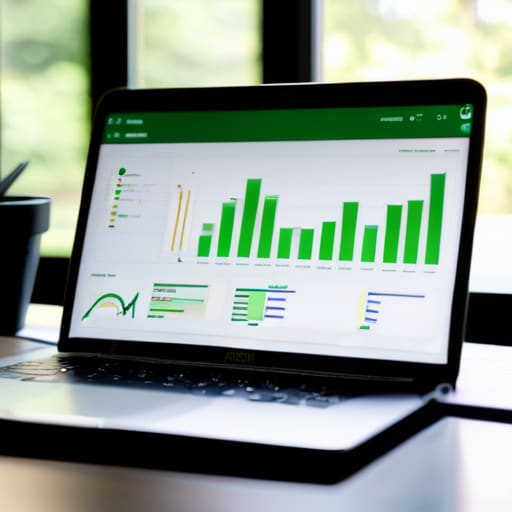
We’ve avoided the enterprise trap of trying to track every single mouse twitch and scroll depth percentage. Instead, we focused on a lean taxonomy, identified your most critical user actions, and built a setup that actually tells you if your marketing is working. Remember, the goal isn’t to have a mountain of data that sits unread in a dashboard; the goal is to have actionable numbers that prove your budget isn’t being set on fire. If you followed the blueprint, you now have a functional tracking system that you built yourself in a single afternoon, without needing a data science degree or a six-figure agency retainer.
Most small business owners fail at analytics because they try to build a cathedral when they really just need a sturdy shed to keep the rain off. Don’t let the fear of “not being perfect” keep you from seeing what your customers are actually doing. You don’t need a complex web of attribution models to make better decisions; you just need to know which buttons are being clicked. Now that the technical heavy lifting is out of the way, stop staring at the setup and start using the data to drive your next move. Get back to work.
Frequently Asked Questions
I've already got Google Analytics; do I actually need to set up these extra tags or is it just more busywork?
It’s not busywork; it’s the difference between knowing someone visited your site and knowing why they left. Standard Google Analytics tells you people are walking through the door. Custom tags tell you if they actually picked up a product or if they tripped over the rug on the way in. If you don’t track the specific clicks that lead to revenue, you’re just staring at a crowd of ghosts. Pick three key actions and tag them. Done.
How do I know if I'm tracking too much stuff and drowning in useless data?
If you’re staring at a dashboard and can’t tell if a number actually means you should change your strategy, you’re drowning. Stop tracking everything “just in case.” If a metric doesn’t directly tell you to either “keep doing this” or “stop doing this,” it’s noise. If you can’t explain the data point to a pub quiz teammate in ten seconds, delete the tag. Stick to the three things that move your bank balance.
Which specific buttons or links should I prioritize if I only have two hours to do this?
Stop looking at every single click on your site; you’ll drown in data before you even finish your coffee. If you have two hours, focus exclusively on the “money” actions. Track your primary CTA button (like “Book a Call” or “Buy Now”), your lead form submissions, and your most important high-intent link—usually your pricing page. Ignore the rest. If a click doesn’t directly signal intent to pay, it’s just noise.
Do I need to hire a developer to make this happen, or can I actually do it myself?
If you think you need a developer to click a few buttons in Google Tag Manager, you’re overpaying. Most of what I’m talking about—tracking button clicks, form submissions, or page views—can be done via Tag Manager without touching a single line of code. If a task requires a specialist and a three-week sprint, it’s too heavy for your business. Do the DIY setup first. Hire a dev only when you’re breaking the site.
