
Site Structure Three Clicks Deep
I spent three years watching boutique agencies charge small firms five figures to “architect digital ecosystems” using complex diagrams that looked more like subway maps than websites. It is a total scam. They sell you on the idea that learning how to build a site architecture requires a dedicated team and a month of strategy sessions, when in reality, most of that is just expensive fluff designed to justify a massive retainer. If your website structure is so complicated that you can’t explain it to a client over a quick coffee, you haven’t built a foundation; you’ve built a labyrinth that will eventually bury your SEO efforts.
I’m not here to give you a lecture on enterprise-level information hierarchy. My promise is much simpler: I am going to show you how to map out a logical, clean, and searchable site structure using nothing but a notebook and about two hours of your time. We are going to skip the jargon and focus on a blueprint that one person can execute before lunch, so you can stop obsessing over your sitemap and actually get back to running your business.
Mapping Your Website Navigation Structure Quickly
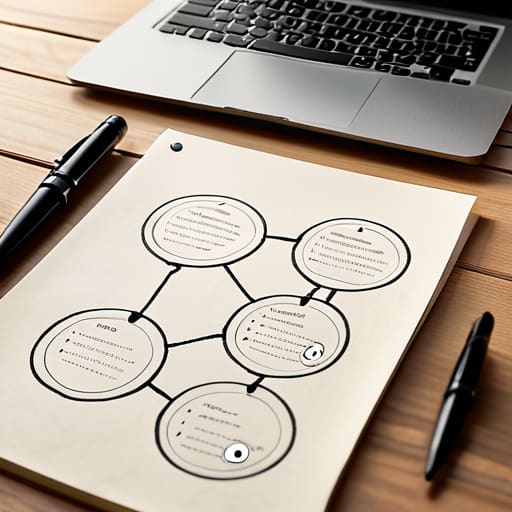
Grab a sheet of paper and a pen. Seriously, close the browser tabs and stop looking for a complex flowchart tool; you don’t need a subscription to a piece of software to figure this out. Start with your homepage in the center and draw lines to your four or five main categories. These are your “pillars”—the non-negotiables of your business. From there, branch out to your specific services or products. The goal is to create a flat vs deep site structure where nothing is more than three clicks away from the front door. If a customer has to go on a scavenger hunt to find your contact page, you’ve already lost them.
Once you have this skeleton, look at how those pages connect. This is where your basic internal linking strategy comes into play. You aren’t building a web of a thousand links; you’re just making sure that if someone reads about “Service A,” there is a clear, logical path to “Service B” or your booking page. Keep it lean. If you can’t sketch the entire hierarchy on a single A4 sheet in under thirty minutes, your structure is too bloated. Simplify until it hurts, then stop. You need a map that guides people, not a labyrinth that traps them.
Choosing a Flat vs Deep Site Structure

Most agencies will try to sell you on a complex, multi-layered hierarchy that requires a dedicated developer just to update a single page. Ignore them. For a small business, you want a flat vs deep site structure debate settled in your favor immediately: go flat. A flat structure means every important page is no more than three clicks away from your homepage. If you have to dig through five layers of sub-menus to find your service list, you aren’t just confusing your customers; you’re killing your momentum.
A deep structure is a trap for businesses without a full-time web team. When you bury pages deep in the architecture, you create a nightmare for user experience and site hierarchy. Not only will your customers get frustrated and bounce, but you’ll also make it harder for search engines to find your content. Stick to a shallow, wide approach. It makes your internal linking strategy much easier to manage manually, and it ensures that when you do add a new page, it actually gets seen. Keep it simple, keep it shallow, and get back to running your business.
5 Ways to Stop Overcomplicating Your Site Map
- Kill the “Miscellaneous” category. If you have a menu item that contains five unrelated things, you don’t have a category; you have a junk drawer. Group them properly or delete them.
- Use the “Three-Click Rule” as a hard limit, not a suggestion. If a customer has to click four times to find your pricing, they’ve already left to find your competitor.
- Write your labels for humans, not for your ego. Stop using clever, vague metaphors for your services. If you’re a plumber, call the page “Plumbing Services,” not “Flow Solutions.”
- Audit your existing links in one sitting. Open your site, click every single link in your header and footer, and if one leads to a dead end or a “Coming Soon” page, kill it immediately.
- Stick to a naming convention that stays consistent. If your top-level menu uses verbs, don’t switch to nouns halfway through the list. It takes ten minutes to fix and saves hours of user confusion.
The Bare Essentials
Keep it flat; if a customer has to click more than three times to find what they need, you’ve lost them and you’ve wasted your time building a labyrinth.
Stop obsessing over technical SEO jargon and just make sure your main menu reflects exactly what you actually sell.
Map your pages on a single sheet of paper before you touch a website builder, or you’ll spend three weeks clicking around in circles.
Stop Planning and Start Building

Look, we’ve covered the essentials: map your pages on paper first, keep your hierarchy shallow, and avoid the trap of building a labyrinth that even you can’t navigate. The goal wasn’t to design a digital cathedral; it was to create a logical, flat structure that tells Google and your customers exactly where to go without needing a compass. If you’ve spent more than two hours staring at a flowchart today, you’ve gone too far. Remember, a site architecture is a living thing, not a monument. You can always tweak a menu item or move a sub-page later, so stop aiming for perfection and just get the foundation laid so you can move on to actual revenue-generating work.
Most small business owners get paralyzed because they think they need a massive agency to build a “professional” digital presence. They don’t. They just need a site that works and doesn’t break the person managing it. You don’t need a complex hierarchy to win; you just need clarity and speed. Take the notes you’ve made today, open your CMS, and build it. Your website should be a tool that serves your business, not a full-time job that keeps you from running it. Now, get off this page and go implement what you’ve learned.
Frequently Asked Questions
I’ve mapped my pages, but how do I know if I’ve actually made it too complicated for a customer to use?
The “Grandmother Test” is your best friend here. Pick your most important service or product and try to find it on your own site using only a phone. If it takes more than three clicks or you have to squint at a messy menu to find it, you’ve failed. If you can’t navigate your own site in sixty seconds without getting lost, your customers won’t either. Simplify it or scrap it.
How many pages should I actually have before I need to worry about a proper hierarchy?
Stop waiting for a magic number. If you have five pages, you need a menu. If you have fifty, you need a hierarchy. The real trigger isn’t a page count; it’s when you can no longer find a specific service or product in three clicks or less. If your navigation looks like a cluttered junk drawer, fix it now. Don’t wait until you’re “big enough”—by then, your users will have already left.
Do I need to spend hours on keyword research before I even decide on my main menu items?
Absolutely not. If you spend three days digging through keyword tools before you’ve even decided what your business actually does, you’re procrastinating.
If I change my site structure later, am I going to break my existing Google rankings?
Yes, you can absolutely break them. If you move a page from `/services/consulting` to `/solutions/consulting` and don’t tell Google, you’ve just created a 404 error and killed your hard-earned ranking.
