
Product Photos With a Phone and a Window
Stop listening to the “experts” telling you that you need a $2,000 DSLR and a studio rental to show off your inventory. I’ve spent eleven years watching small firms burn through their precious cash reserves on professional gear and agency retainers, only to realize they didn’t actually need a production crew—they just needed better lighting. Most of the advice you find online about how to take photographs of your products is designed to sell you more equipment, not to actually help you make a sale. If you’re staring at a pile of stock and feeling paralyzed by the thought of a complex setup, you’ve been lied to.
I’m not here to give you a masterclass in digital composition or suggest you spend a week in a darkroom. My promise is much simpler: I am going to show you how to get professional-looking results using nothing but a window, your smartphone, and a bit of common sense. We are going to focus on methods that you can actually execute in a single afternoon without losing your mind or your budget. No fluff, no expensive gear, just practical steps that get your items online and ready to sell before lunch.
Mastering Natural Lighting for Product Shots Today
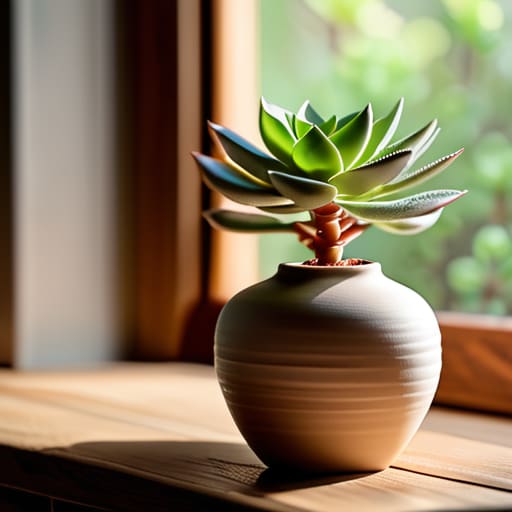
Forget the expensive studio lighting setup for beginners; you don’t need a thousand pounds of gear to get decent results. If you have a window, you have a studio. The trick to mastering natural lighting for product shots is timing. Avoid direct, midday sun which creates harsh, ugly shadows that make your products look cheap. Instead, aim for a bright, overcast day or find a spot in your room that gets soft, indirect light. If the sun is hitting your product directly, it’s too much. Move the table a few feet back.
To keep things moving, grab a piece of white foam board from a local stationery shop. This is my favorite hack for improving product image quality without a crew. Position the board on the side of the product opposite your window. It acts as a reflector, bouncing that soft light back into the shadows. This simple move prevents your items from looking like they were shot in a cave. You can set this up, snap twenty usable shots, and still be back at your desk by 3:00 PM. It’s efficient, it’s cheap, and it actually works.
Smartphone Product Photography Techniques That Actually Work
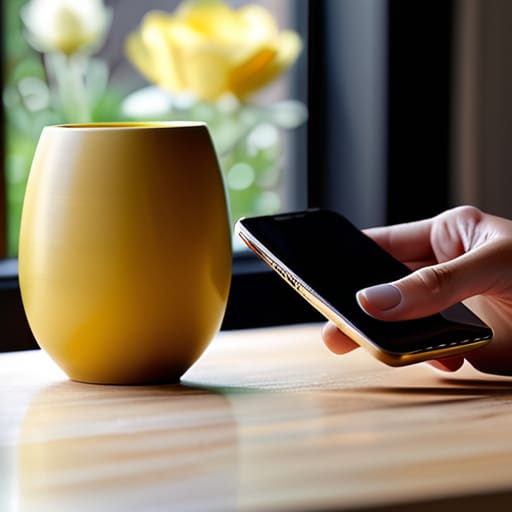
Stop hunting for the perfect best camera settings for products in your phone’s manual. You don’t need to be a tech wizard; you just need to stop using the digital zoom. It’s a trap that kills your resolution and makes your hard work look like a pixelated mess. Instead, physically move your phone closer to the item. If you want to actually improve product image quality, use the 2x lens if your phone has it, or just step in. Most importantly, tap the screen on the actual product to lock the focus and exposure. If the screen looks too bright or too dark, slide your finger up or down to adjust the exposure manually before you hit the shutter.
Once you’ve nailed the focus, watch your stability. I see so many small business owners losing sales because their shots look shaky and amateur. Don’t bother buying a fancy tripod if you don’t have one; just prop your phone up against a stack of books or a coffee mug. This is one of those essential smartphone product photography techniques that costs exactly zero pounds and saves you from the headache of blurry images. Keep your movements minimal, hold your breath, and take the shot. You can get ten usable images in twenty minutes if you stop overthinking the gear and start focusing on the stability.
Five ways to stop overthinking your product shots
- Stop hunting for shadows. If you’re shooting near a window and the light looks harsh, hang a thin white bedsheet over the glass. It acts as a DIY diffuser and softens everything instantly.
- Clean your lens. I see this constantly. Take a microfiber cloth—or even a clean cotton t-shirt—and wipe that smartphone lens. Most “blurry” photos are just fingerprint grease.
- Use a plain backdrop, not a set. Don’t try to build a miniature living room. Grab a piece of white poster board from the shop, lean it against a wall, and let the product do the talking.
- Steady your hands. If your shots look shaky, don’t buy a tripod. Just prop your phone up against a stack of books or a coffee mug. It’s just as stable and takes ten seconds to set up.
- Shoot from the eye level. Don’t just stand over the product looking down like a giant. Get the camera down to the product’s level. It makes the item look more substantial and professional.
Three things to do before you stop shooting
Stop overthinking the gear; if your phone can take a decent selfie, it can take a decent product shot.
Use the light you have right now—if the sun is moving, move your table closer to the window.
Batch your work so you aren’t setting up a “studio” every single day; shoot everything you need for the week in one go.
Stop Overthinking Your Visuals
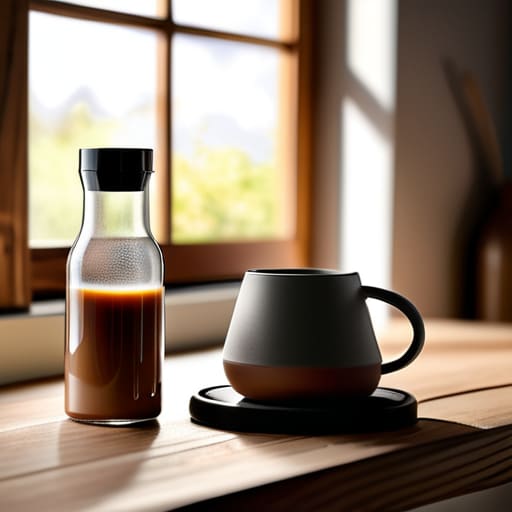
Look, we have covered the essentials: ditch the expensive studio gear, find a decent window for natural light, and use the smartphone already sitting in your pocket. You don’t need a lighting technician or a DSLR to make your products look professional; you just need a bit of direction and a clear surface. The goal here isn’t to win a photography award—it is to show your customers exactly what they are buying so they feel confident hitting that checkout button. If you can follow these steps, you can have a fresh batch of high-quality assets ready to upload before your coffee gets cold.
My biggest piece of advice is to stop waiting for perfection. Most small business owners I consult with get paralyzed by the idea that their content isn’t “polished” enough, so they end up posting nothing at all. That is a massive mistake. A clean, well-lit photo taken on an iPhone is infinitely better than a professional-grade shot that never actually makes it onto your website. Pick up your phone, find the light, and get it done. You have a business to run, and real progress happens through action, not through endless gear research.
Frequently Asked Questions
Do I really need to buy a tripod, or can I just prop my phone up on a stack of books?
Prop it on the books. Honestly, don’t go out and spend £50 on a tripod you’ll use twice. If you’re just taking shots for Instagram or a quick website update, a stack of hardback books or a coffee mug works perfectly fine. The only time you actually need a tripod is if you’re doing long exposures or trying to shoot in near-darkness, which—if you’re following my lighting advice—you shouldn’t be doing anyway.
How do I stop my products from looking shiny or reflecting my own face in the shot?
Stop buying expensive polarising filters. If you’re seeing your own face in a chrome kettle or a glass jar, you’re standing in the light path. Move your light source to the side, not directly in front. Grab a piece of white cardboard—even a cereal box works—and hold it opposite the light to bounce soft shadows back into the dark spots. It takes ten minutes and kills the glare instantly.
What's the quickest way to clean up a messy background without spending an hour tidying the whole room?
Stop trying to clean the room. You aren’t a professional house cleaner, and you don’t have the time. Just buy a pack of large, neutral-colored poster boards from a stationery shop. Lean one against a wall and lay another on the table. It creates a seamless, distraction-free backdrop in thirty seconds. If the surface is still a disaster, use a single piece of fabric or even a clean kitchen towel. Done.
Which free apps actually help me edit these photos quickly instead of wasting time on complex software?
Stop downloading Photoshop. If you aren’t a pro, you’re just wasting an afternoon playing with sliders you don’t understand. Use Snapseed for quick brightness and contrast fixes, or Lightroom Mobile if you want to batch-edit a dozen shots at once. Both are free and intuitive. My rule: if you can’t polish the image and get it ready for Instagram in ten minutes, you’re overcomplicating it. Stick to the basics and move on.
